Bewair 2.0
Product Audit & Redesign of an Existing Home Safety and Security Application
UX / UI
Company : Avairsense [oureye.ai ]
Duration : 4months
Product Audit
Avairsense Bewair App Version 1.0 has encountered limitations in usability and visual design. My role is to conduct a comprehensive audit to identify and address these issue and redesigning the app to enhance user experience and visual appeal.
Activities :
Heuristic Evaluation: Conduct a heuristic evaluation using established usability principles (e.g., Nielsen’s heuristics) to identify usability issues in the app.
Benchmarking: Compare the app with similar apps in the market to understand industry standards and identify potential improvements.
User Feedbacks : Based on feedback received from the user group
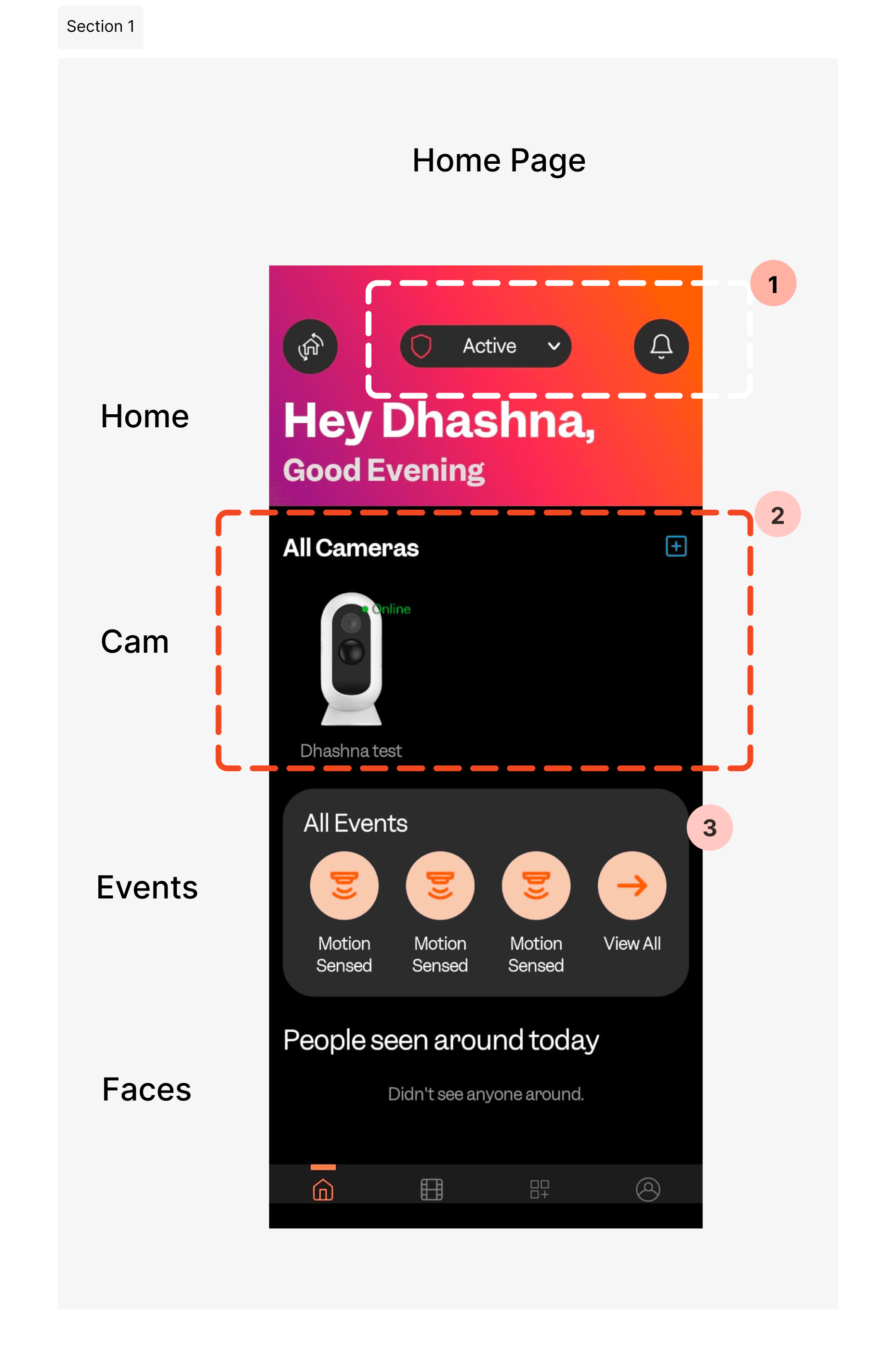
The 'mode' feature is not being used actively. It could be made into a key feature, as it controls camera settings and notifications with preset options.
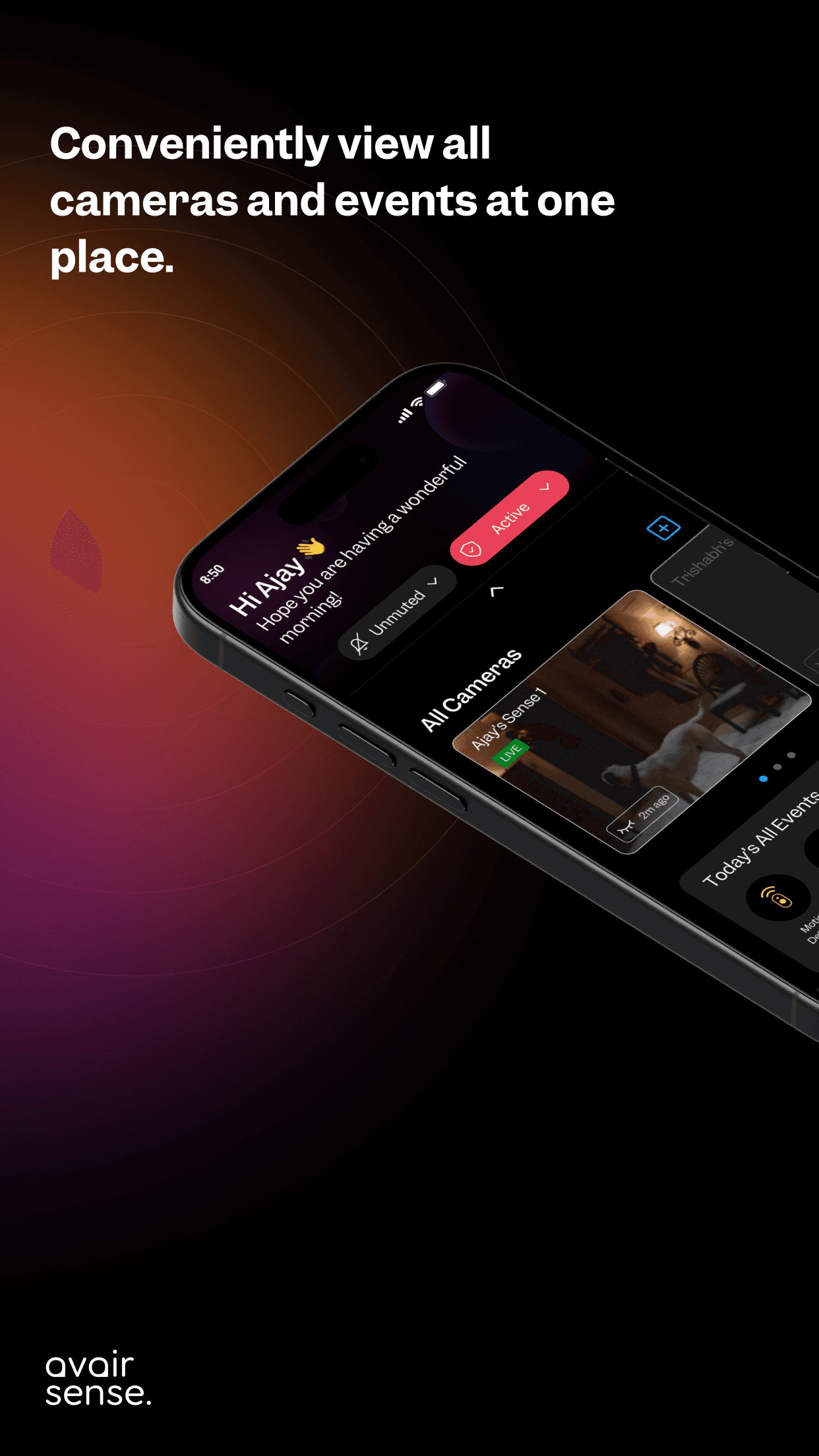
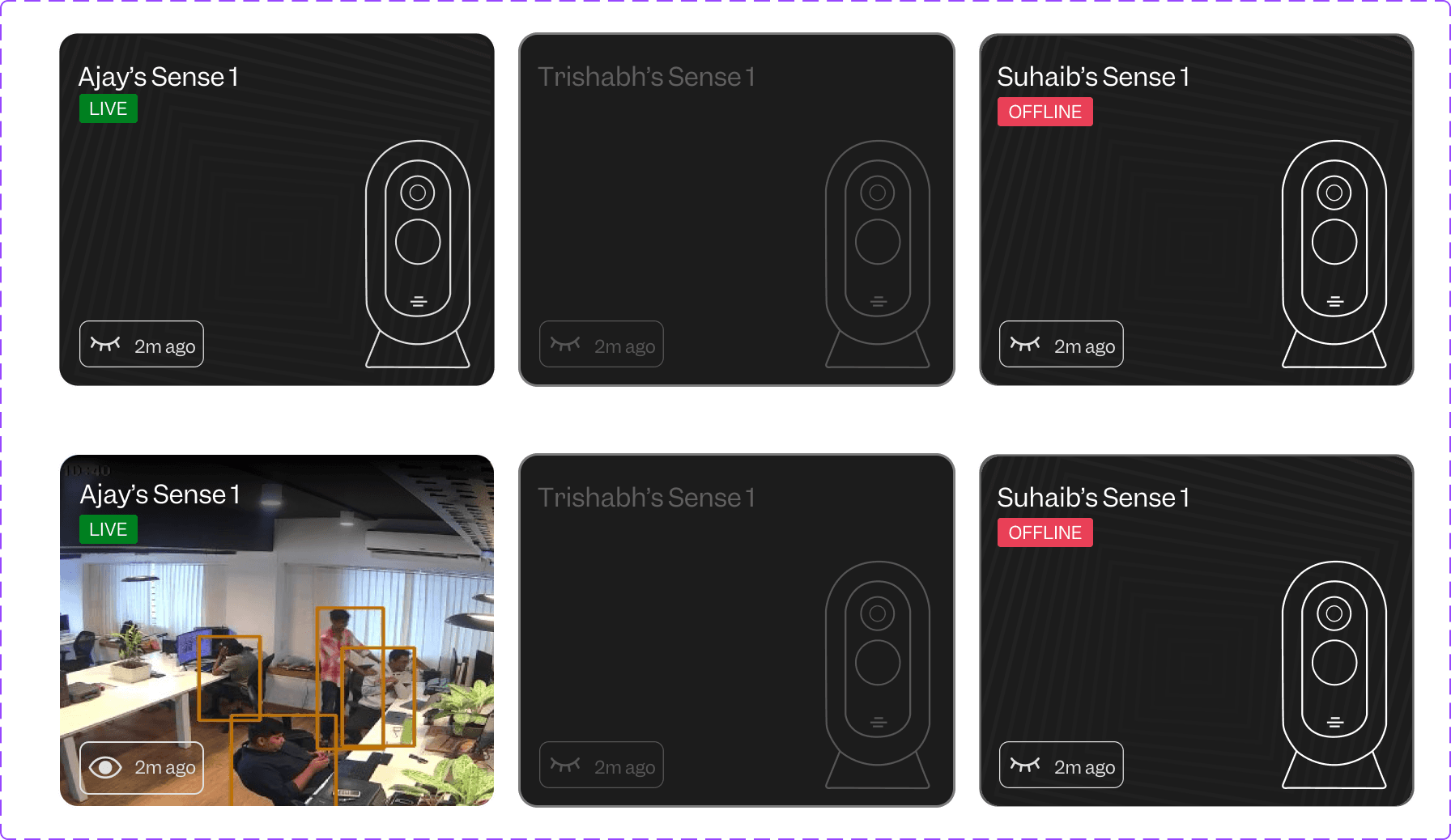
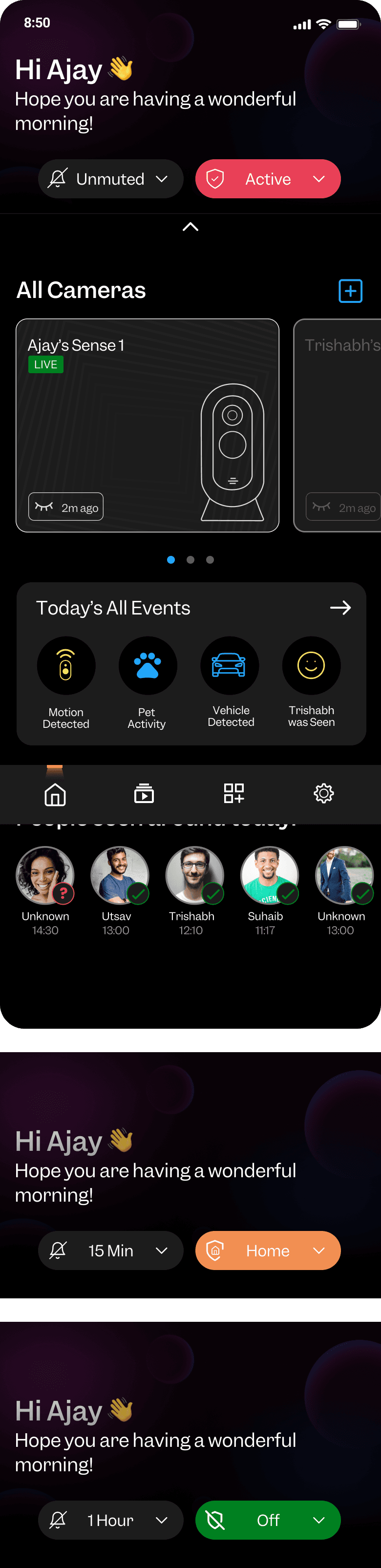
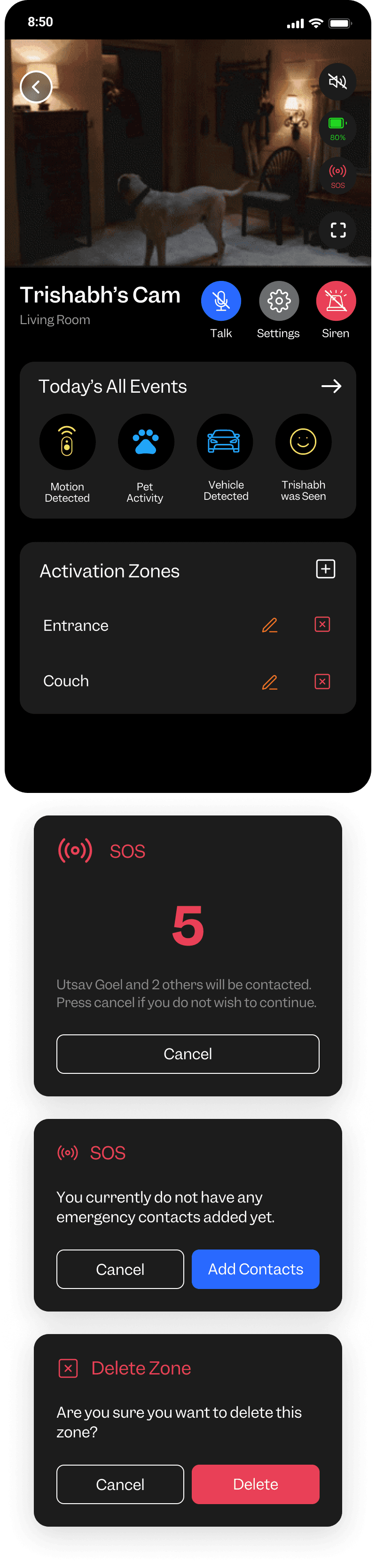
The camera icon can be changed to a live screen or thumbnail screens, allowing users to easily switch between live camera views.
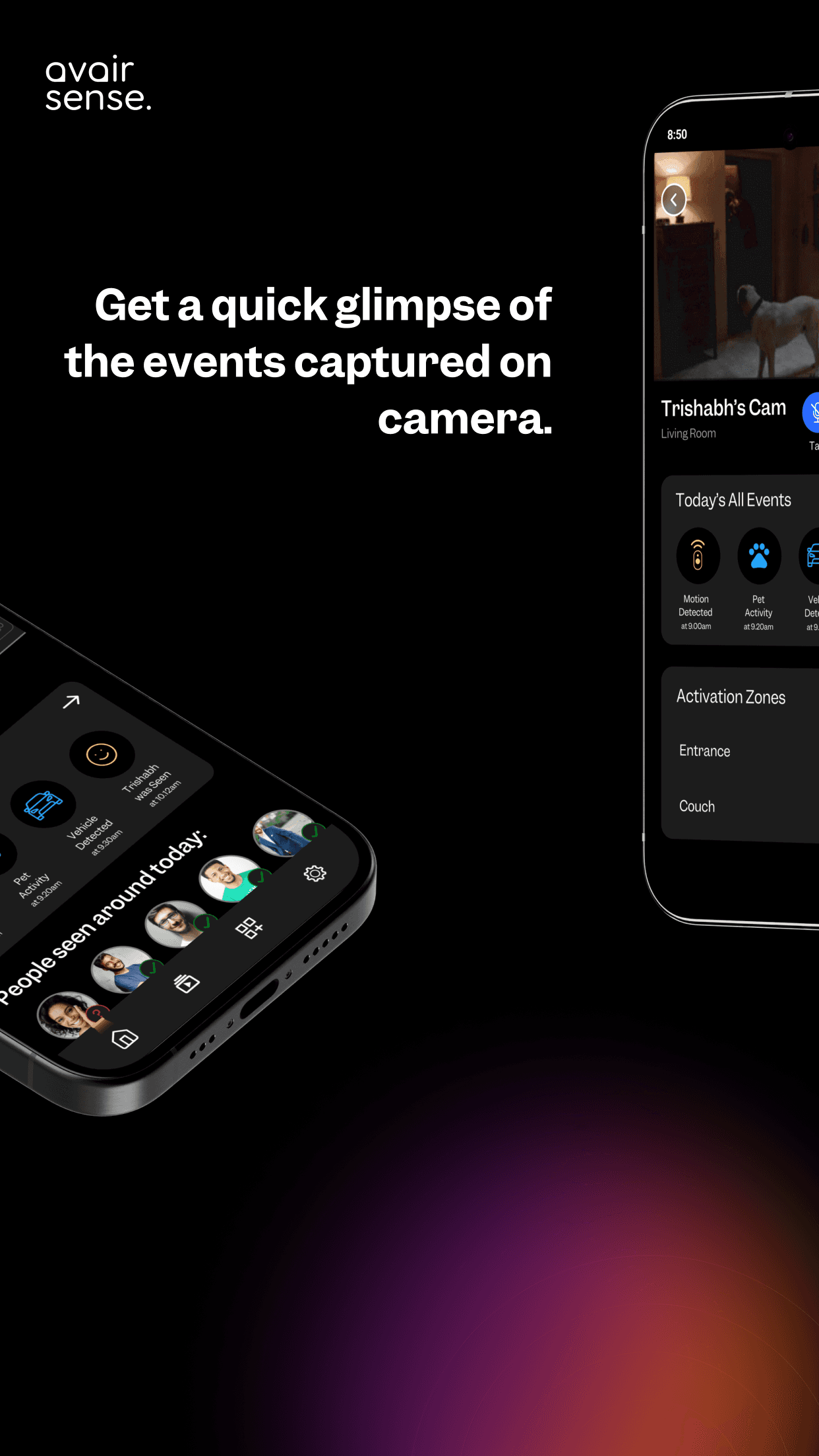
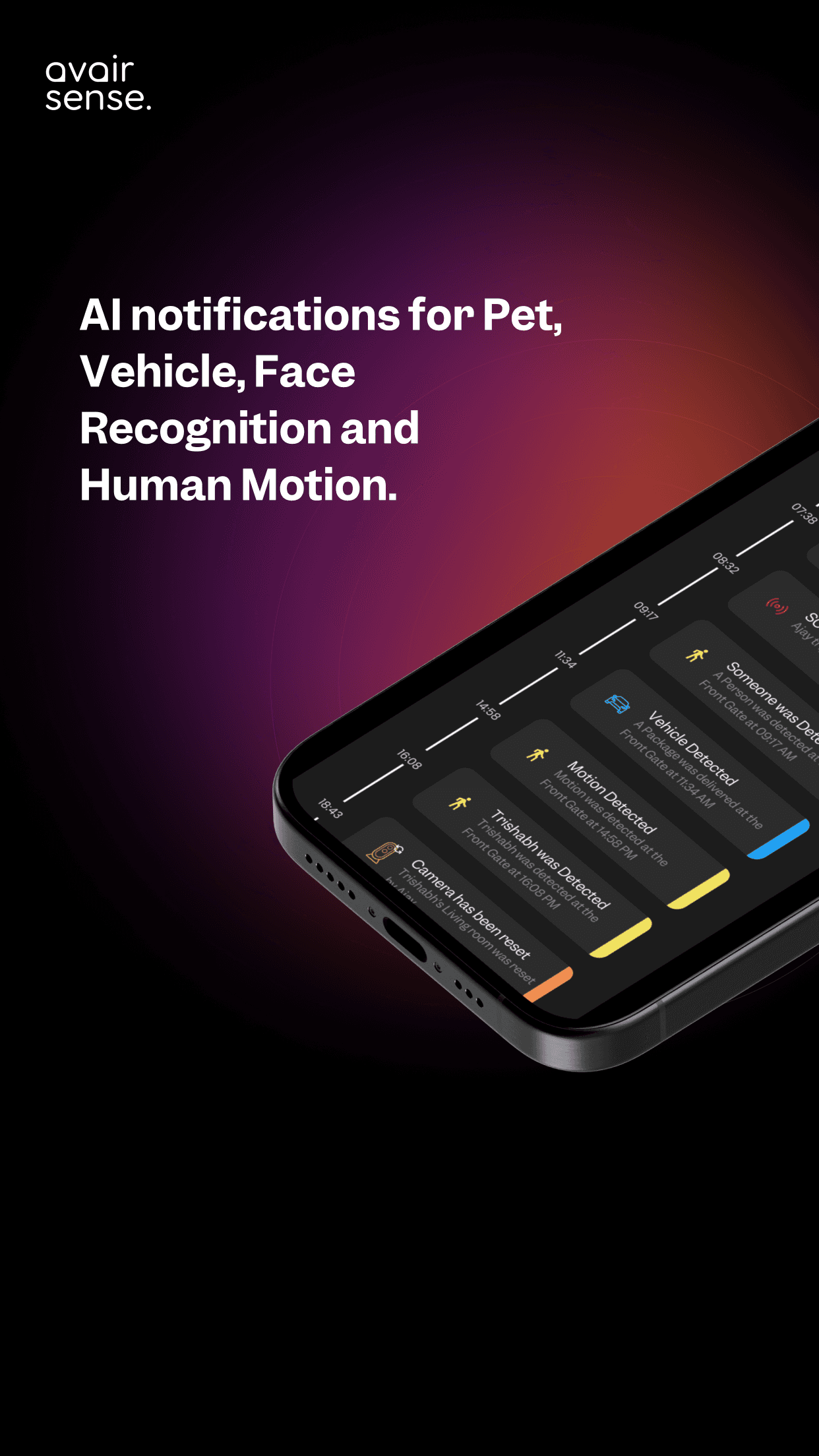
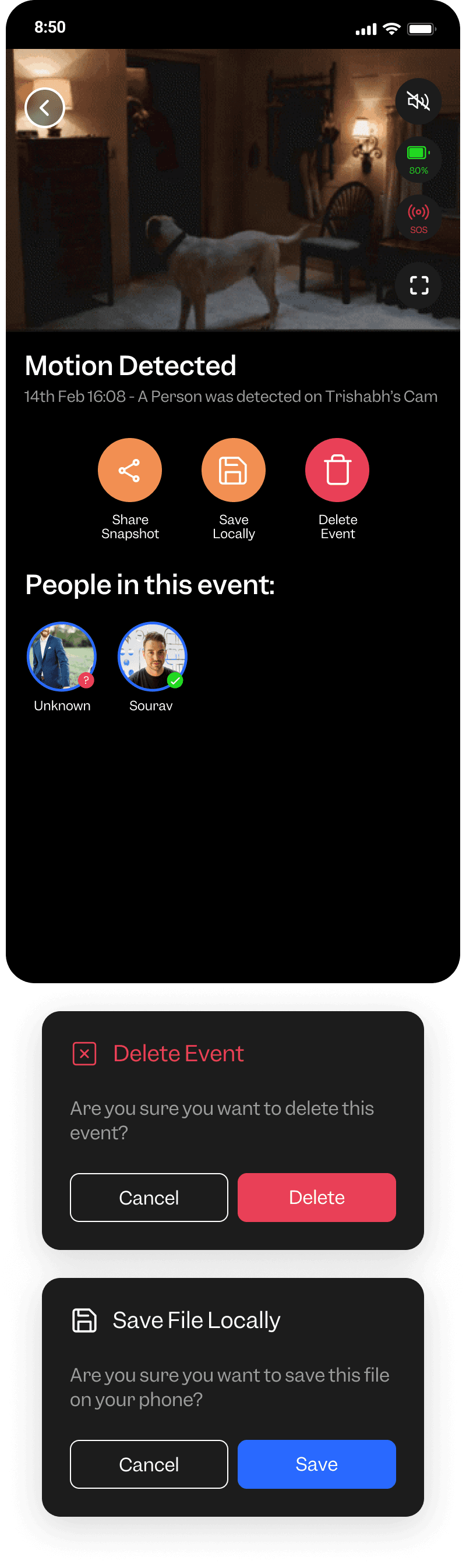
The events section currently only indicates that an event has occurred. It could be enhanced to provide basic hints, such as identifying faces, pets, vehicles, or artifacts in thumbnails.
The entire top bar can be redesigned to improve the hierarchy by positioning critical features more effectively. Enhancements will focus on color, usability, and overall user experience to make it more intuitive and efficient.
Camera thumbnail views or live video feeds can be utilized.
If network problems occur, the thumbnail of the previous important notification can be displayed, or a low-quality video feed can be used to ensure continuity."
Information can be better organized using the LATCH concept.
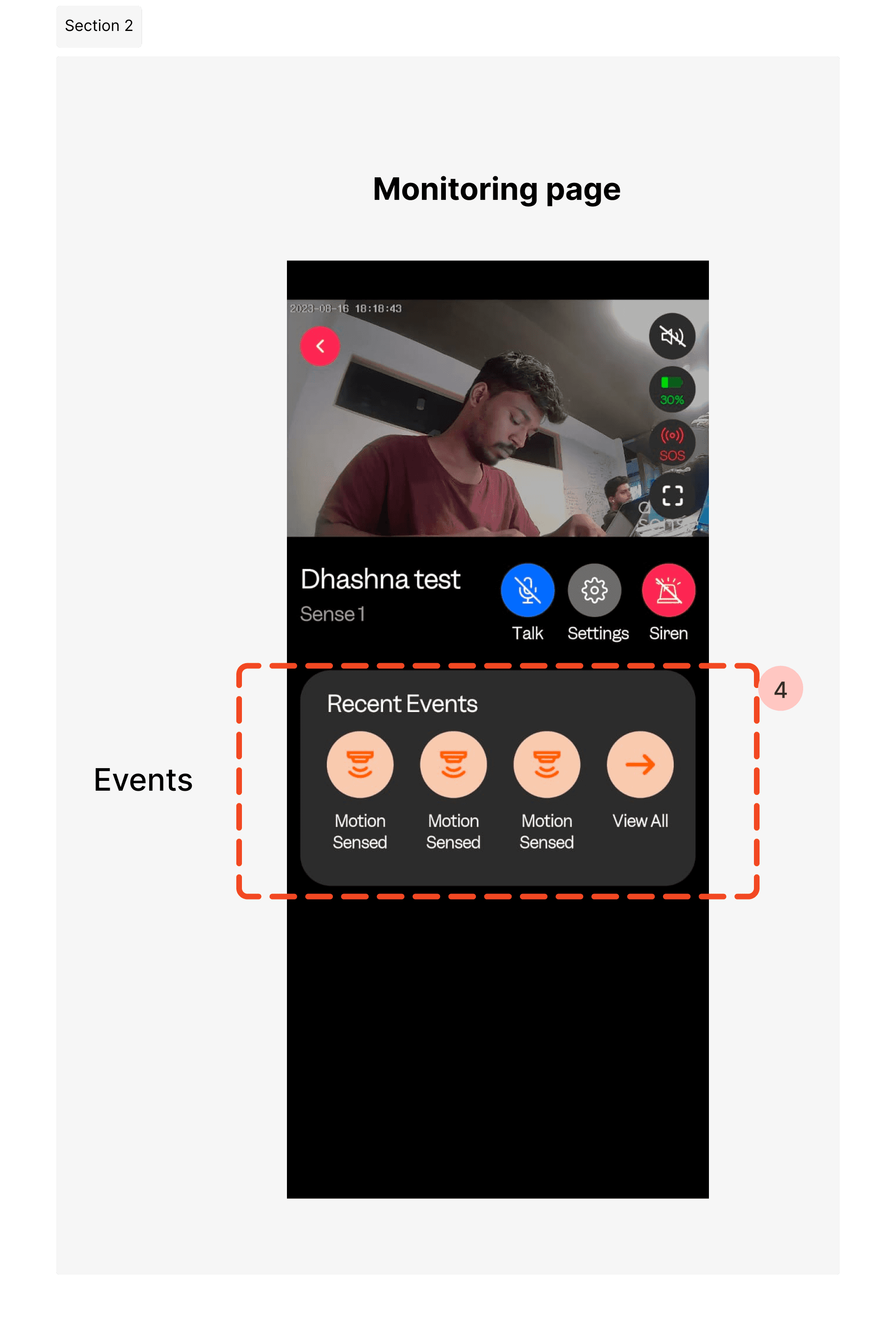
Same Content repeating to the next follow screen ,
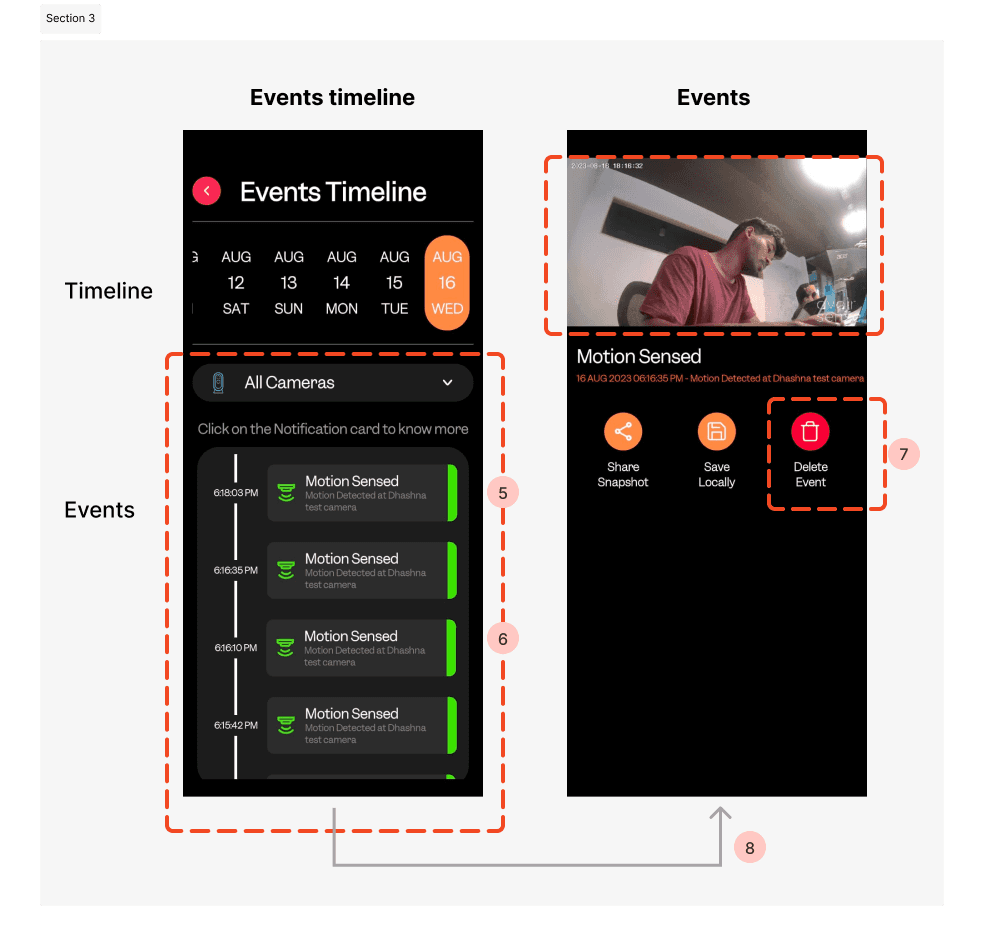
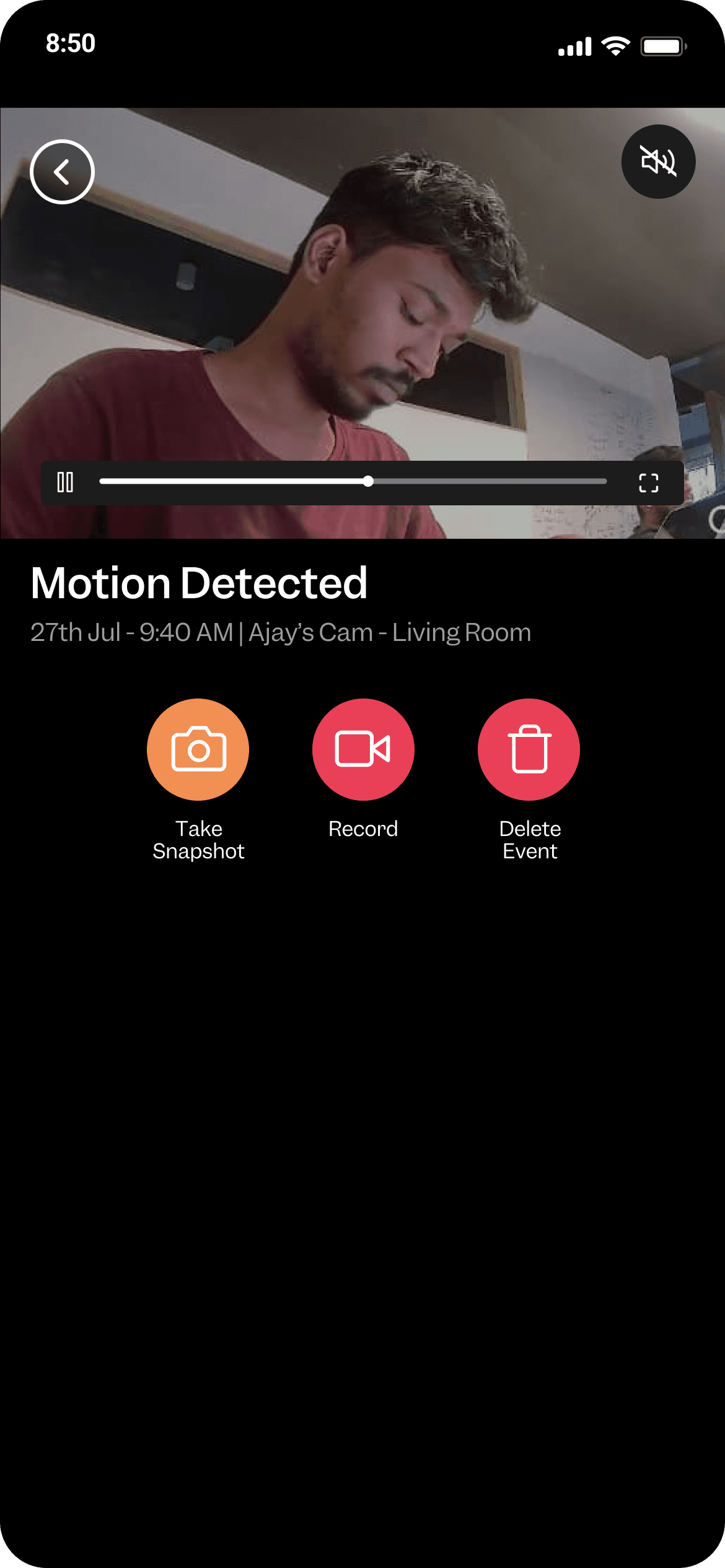
Continuous back-and-forth action is required to view each image triggered by motion sensing (motion, face, pet, vehicle, artifacts)
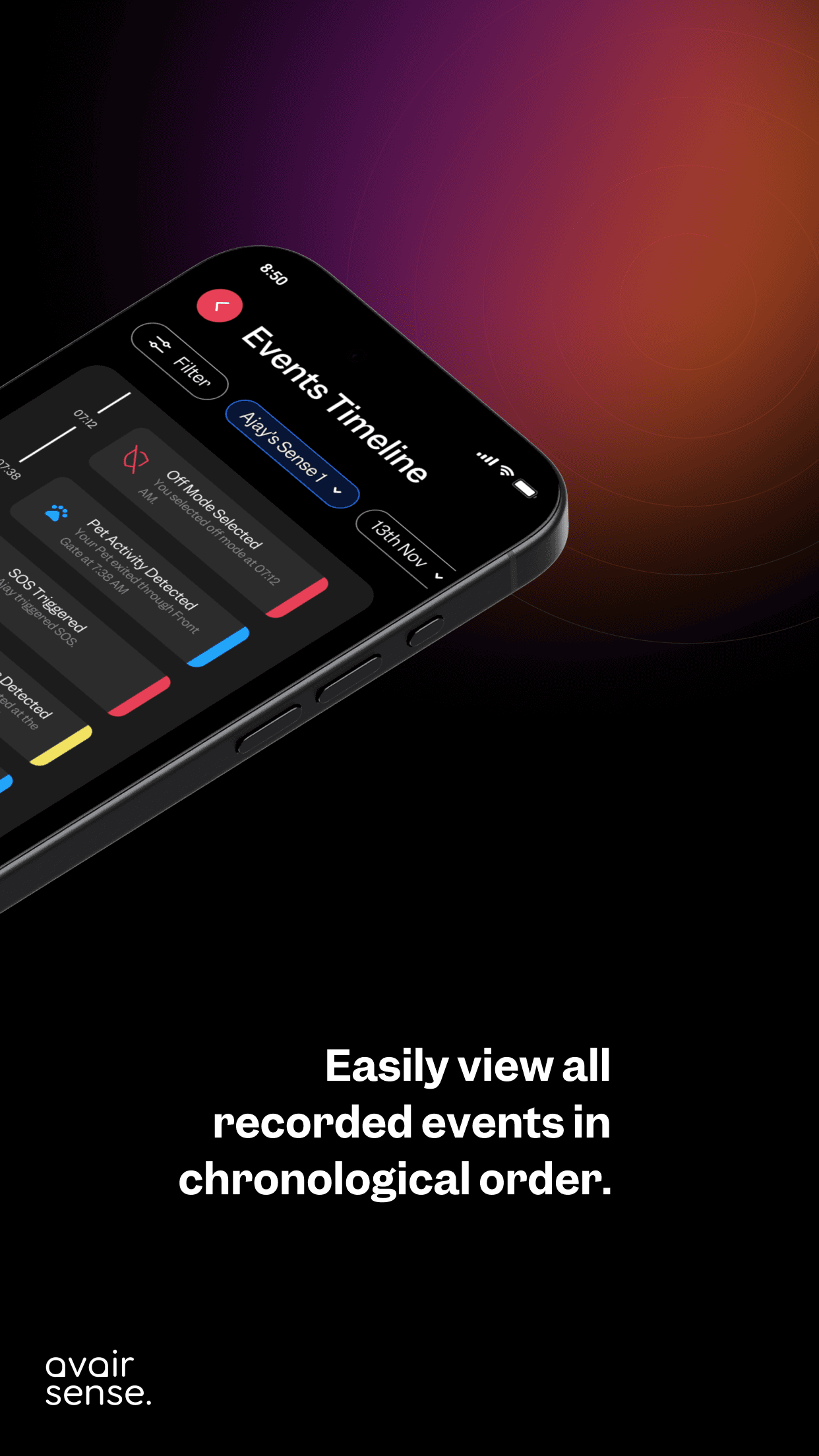
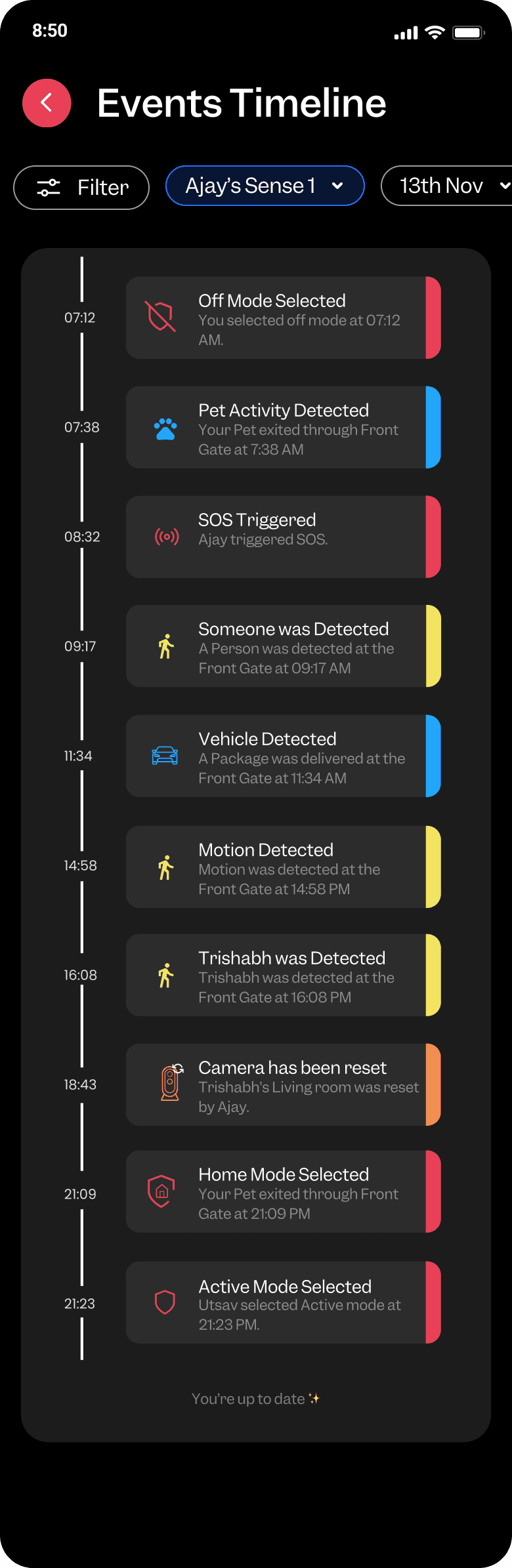
Enhance content hierarchy and introduce variation in the event timeline to improve clarity and user experience.
Undo option Include an undo option for deleted events.
In that case, integrating everything into a single screen can provide a seamless flow of information.
Color-coding each event type will enhance readability and improve the overall user experience through better UX writing.
Information can be better organized using the LATCH concept.
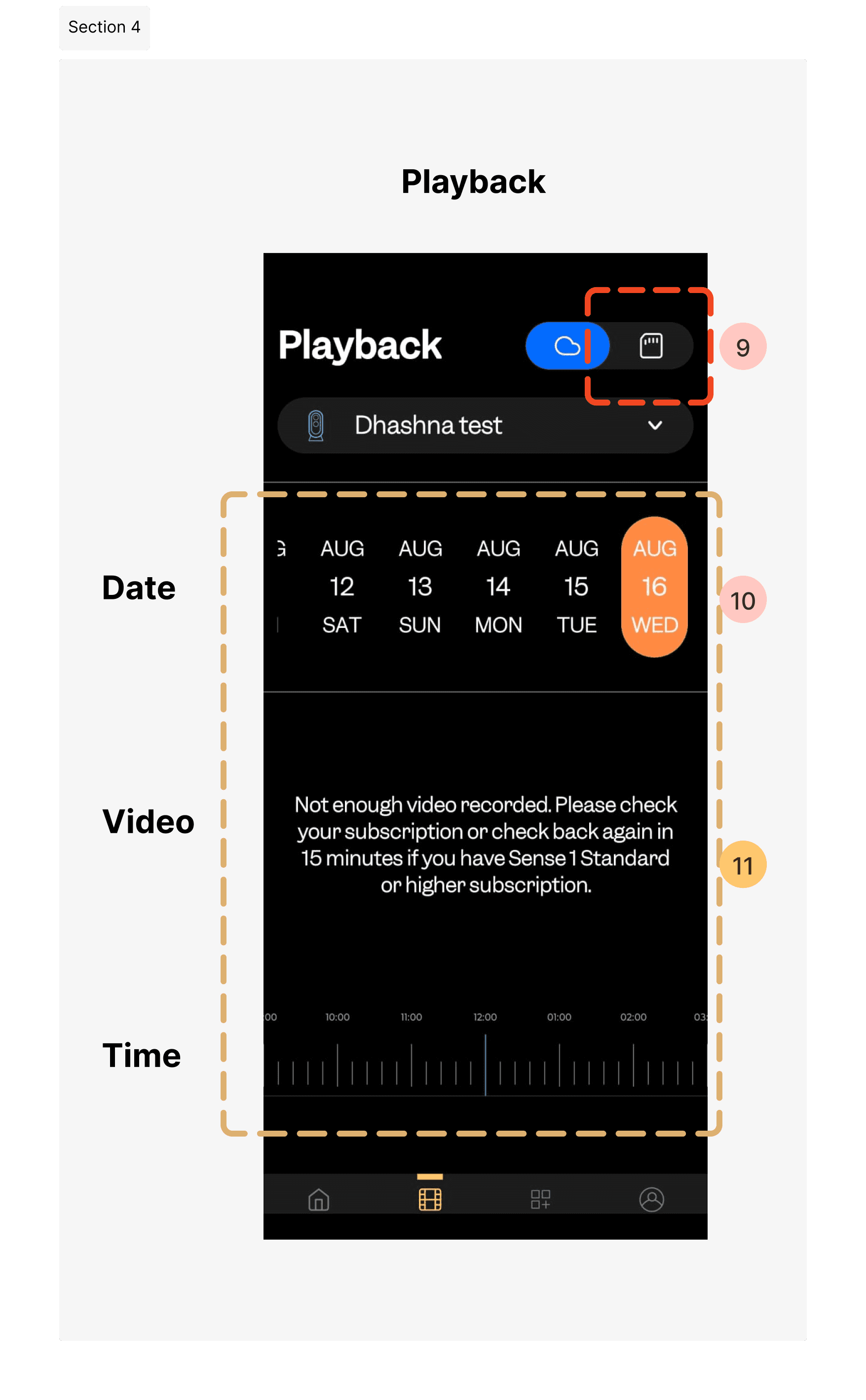
Since an SD card slot is provided, we can include an SD card with the product.
Enhance the UX by improving the formatting of the date and time controls, ensuring they are intuitive and easy to adjust.
An efficient approach could be to provide a time scroll that automatically syncs with the date scroll, but in a new format different from the existing one
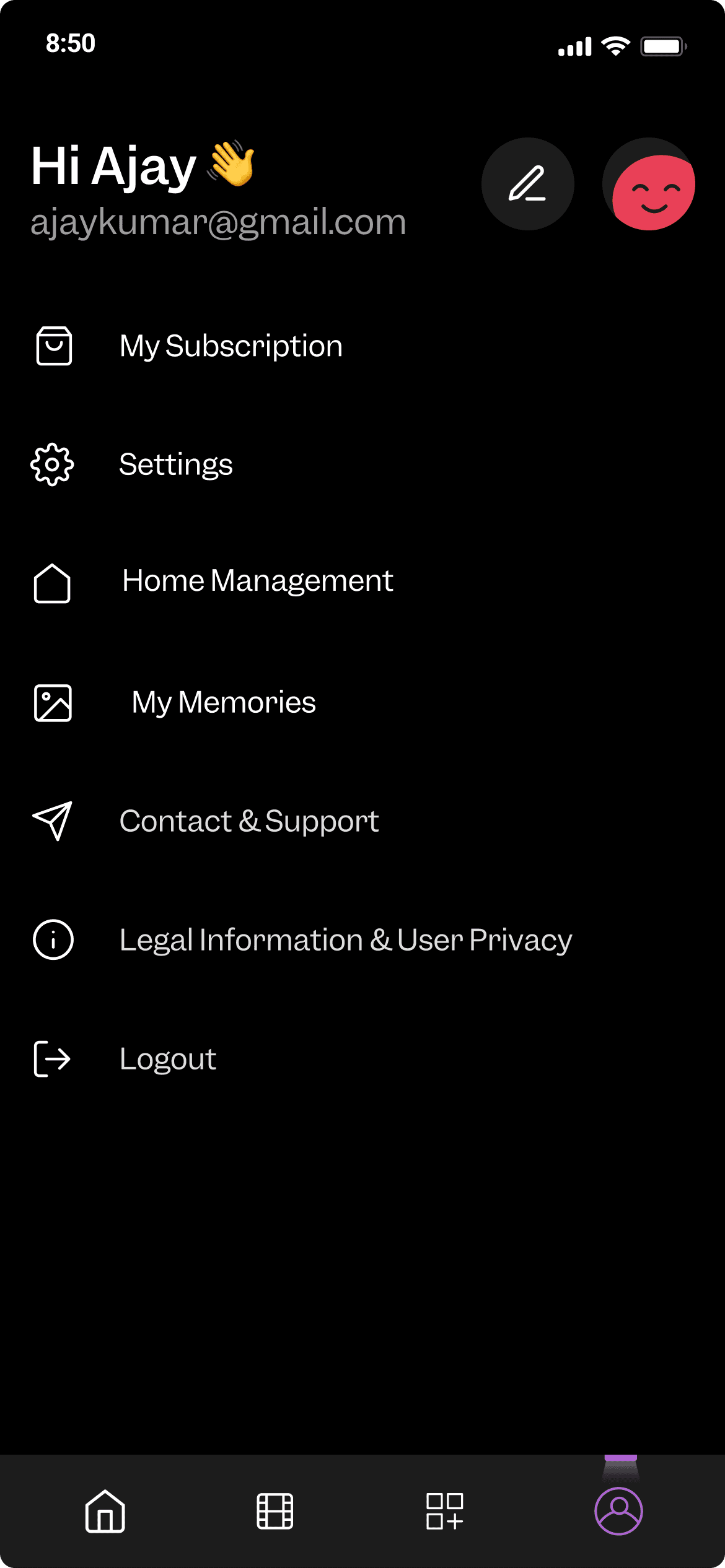
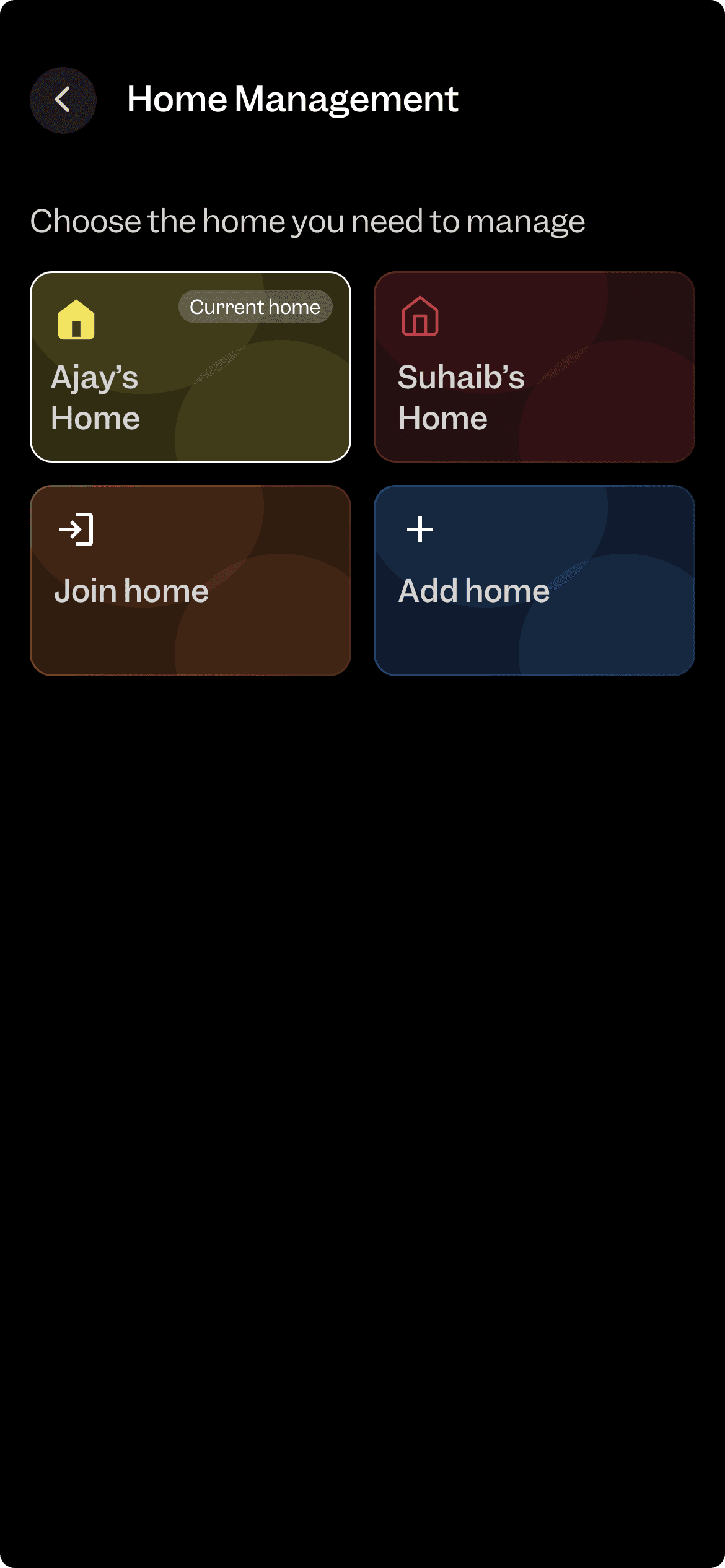
Highlight and enhance the key home management feature that helps users switch between different homes more effectively.
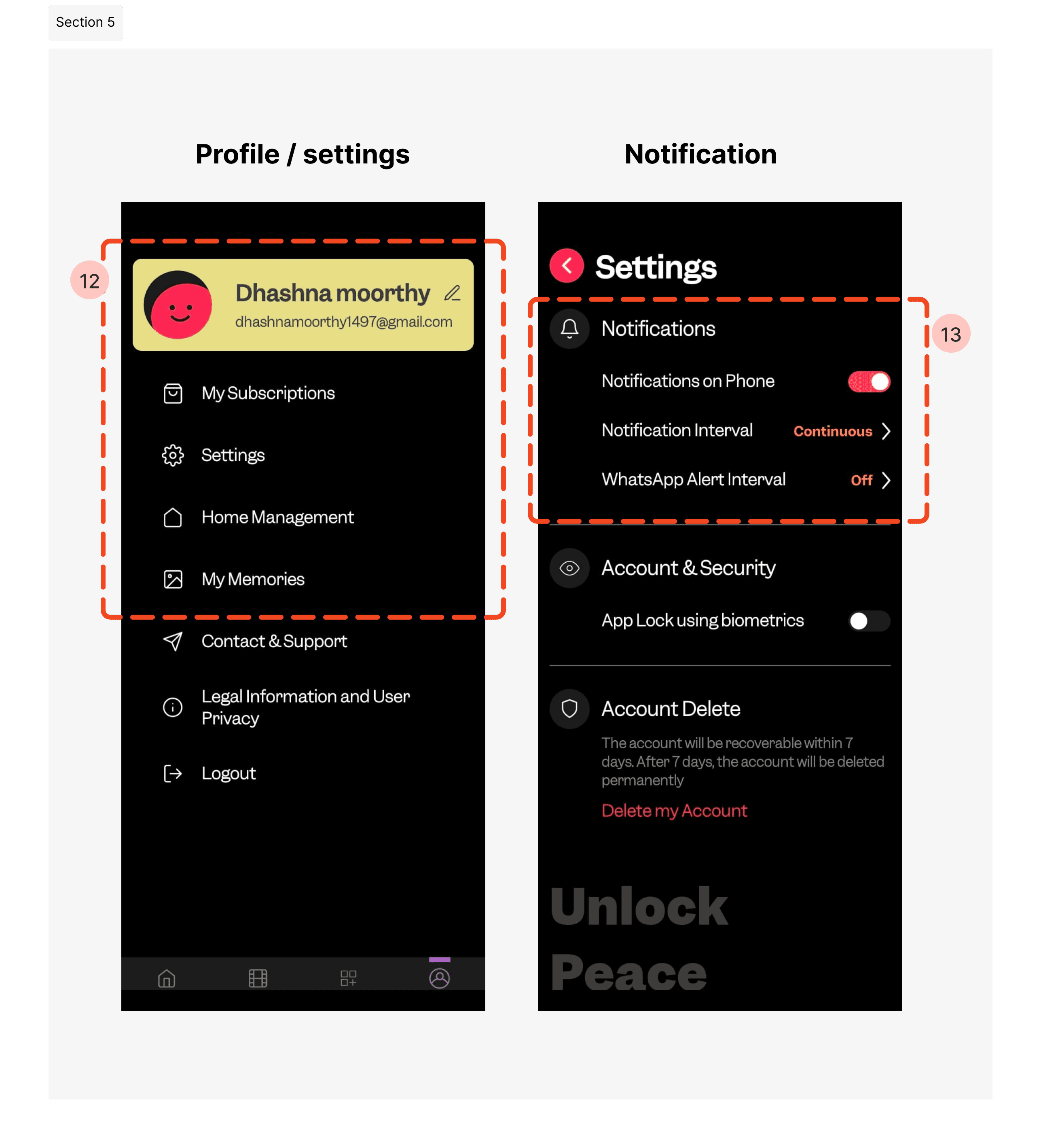
Spamming issues : A key problem identified with notifications is that it offers limited options for controlling or customizing notifications for individual use.
Based on considerations from the marketing and business team.
Enhance the look and feel of the design by making typography changes and refining visual elements
Integrate time and date information into a single control feature for a more streamlined approach.
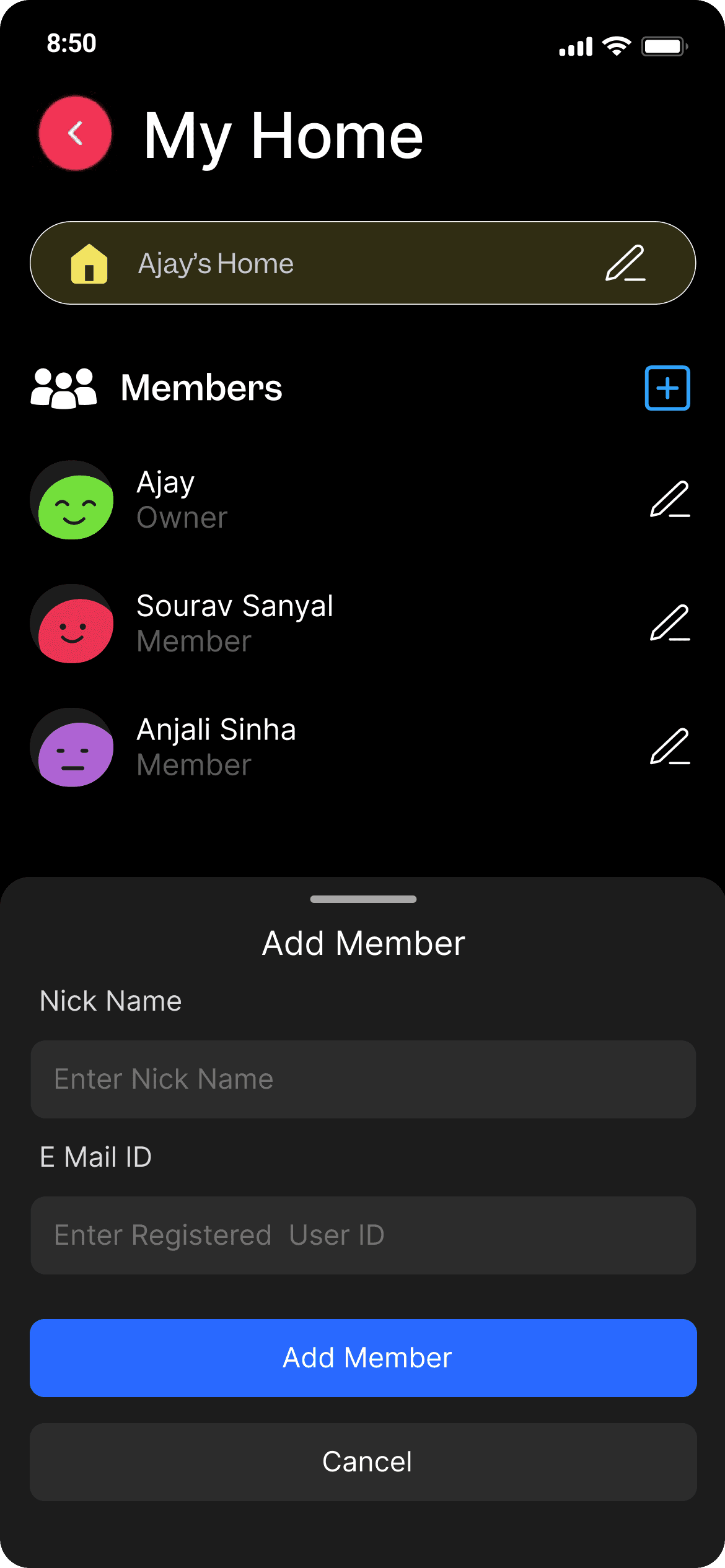
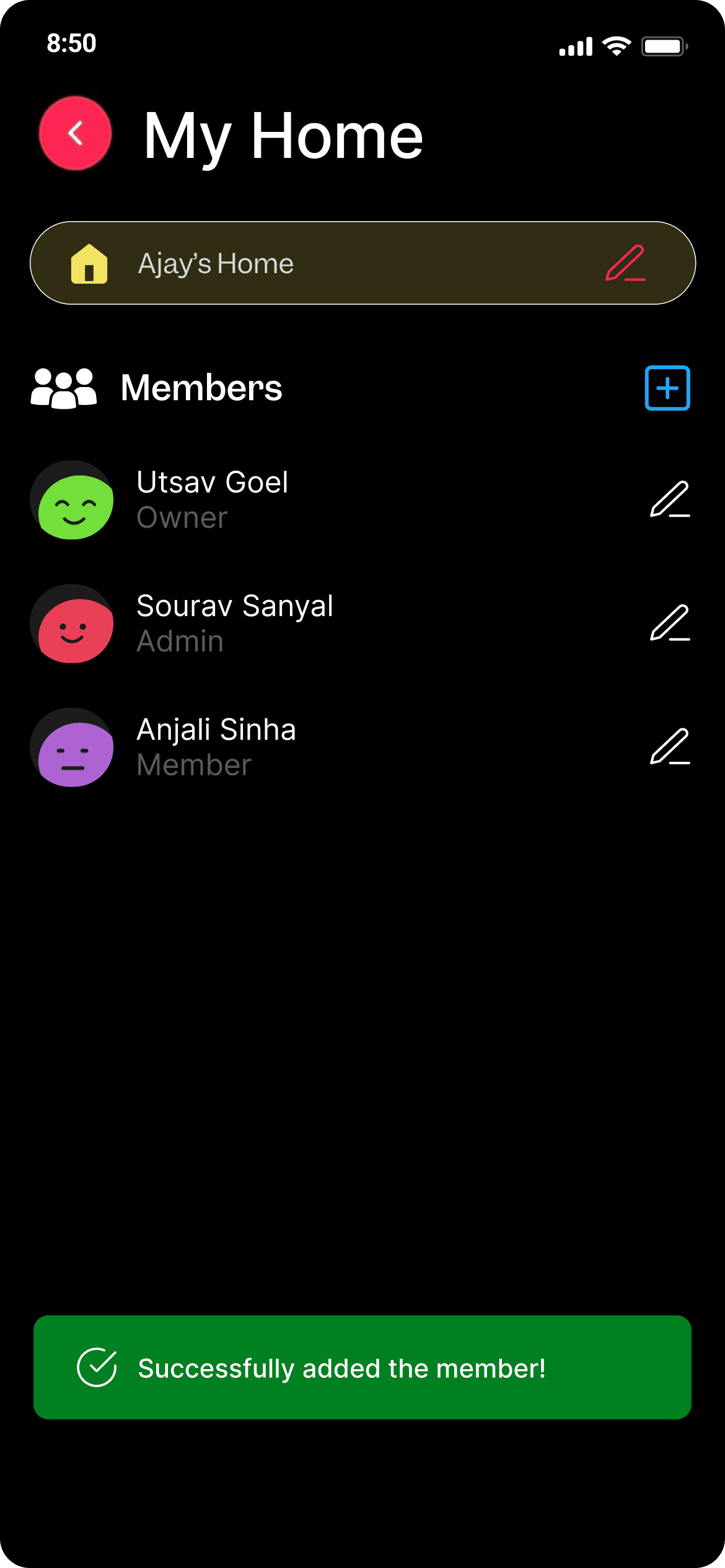
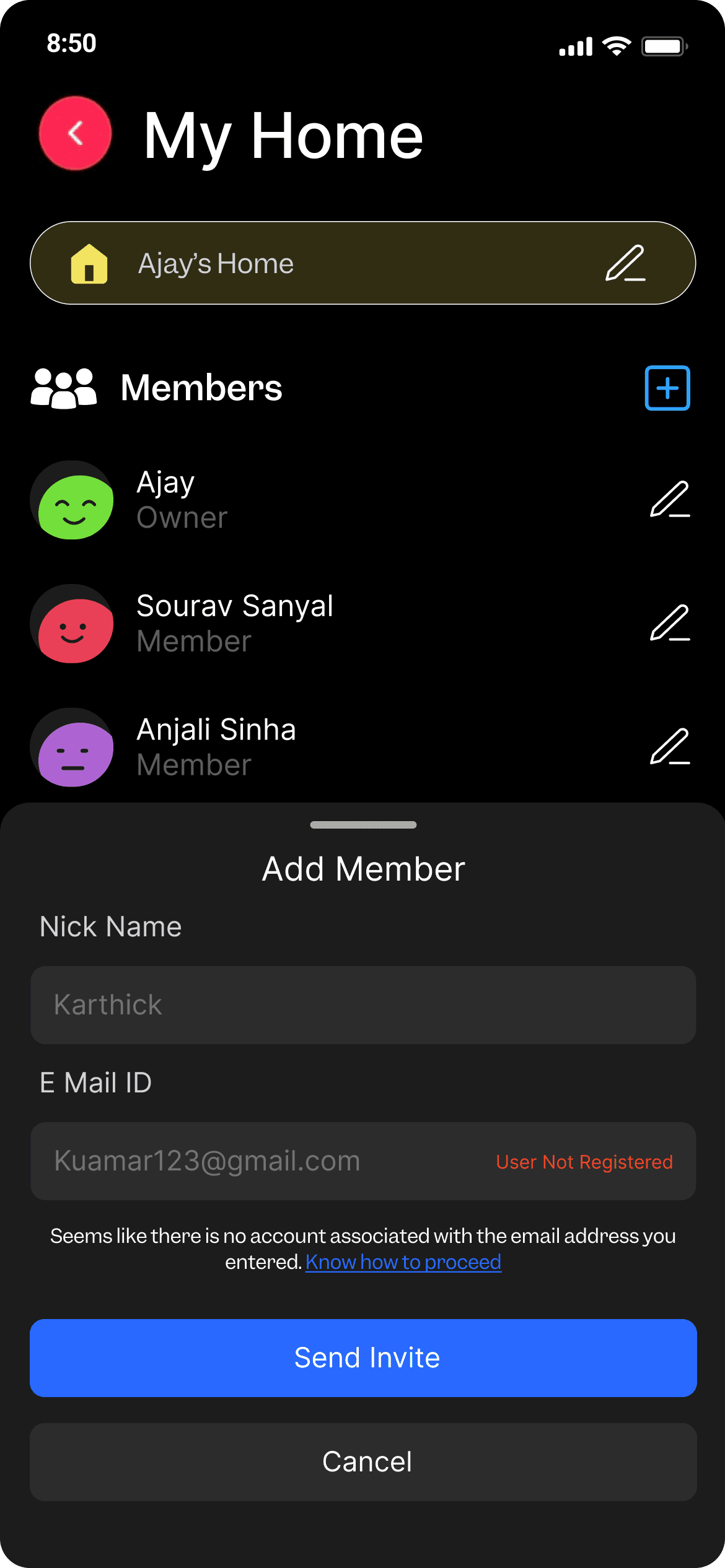
Elevate home management by creating a separate flow for adding members and managing multiple homes or spaces. This will streamline the process and improve user experience.
Redesign the existing notification flow by thoroughly understanding user requirements to enhance customization and control options.
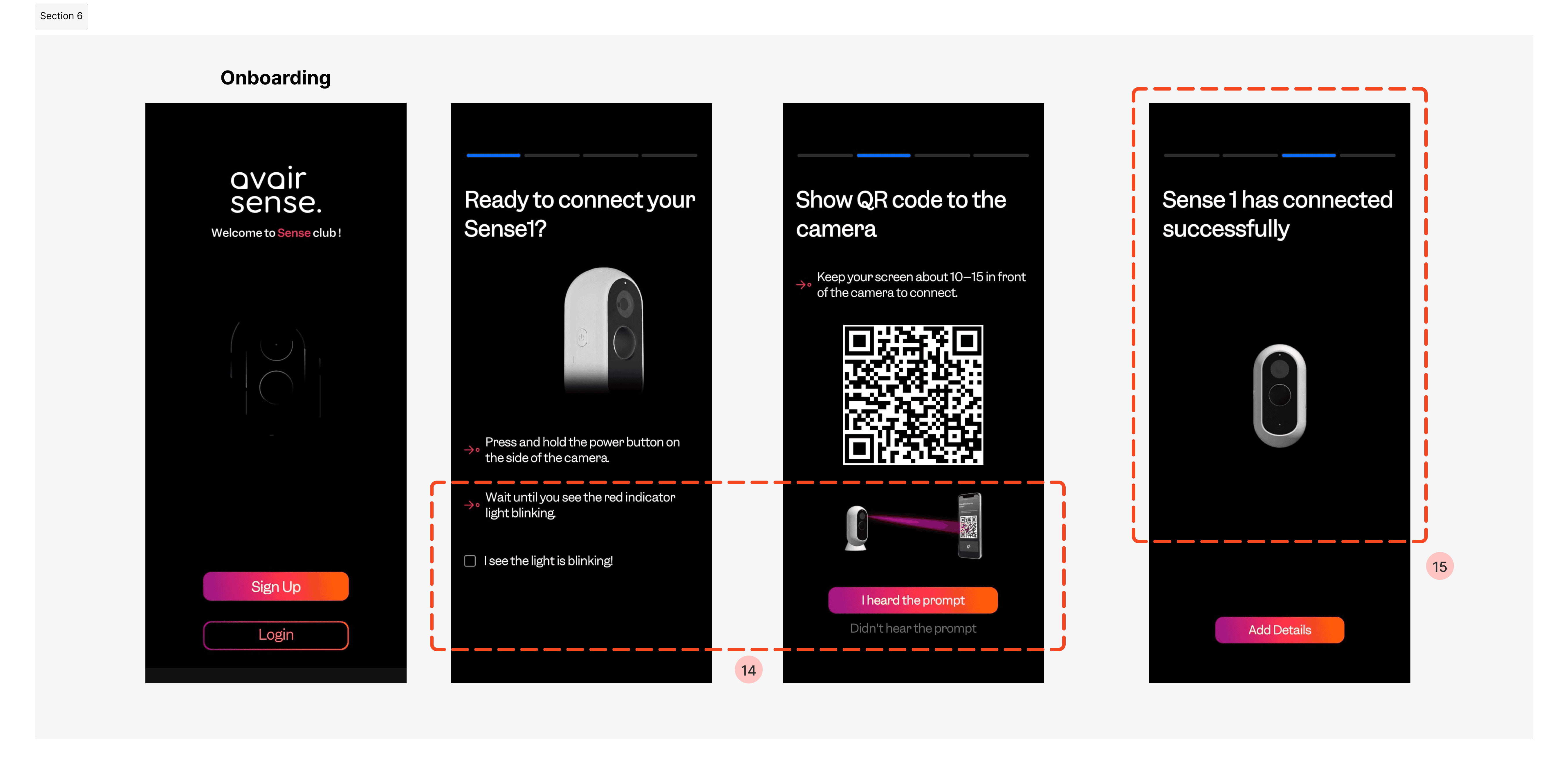
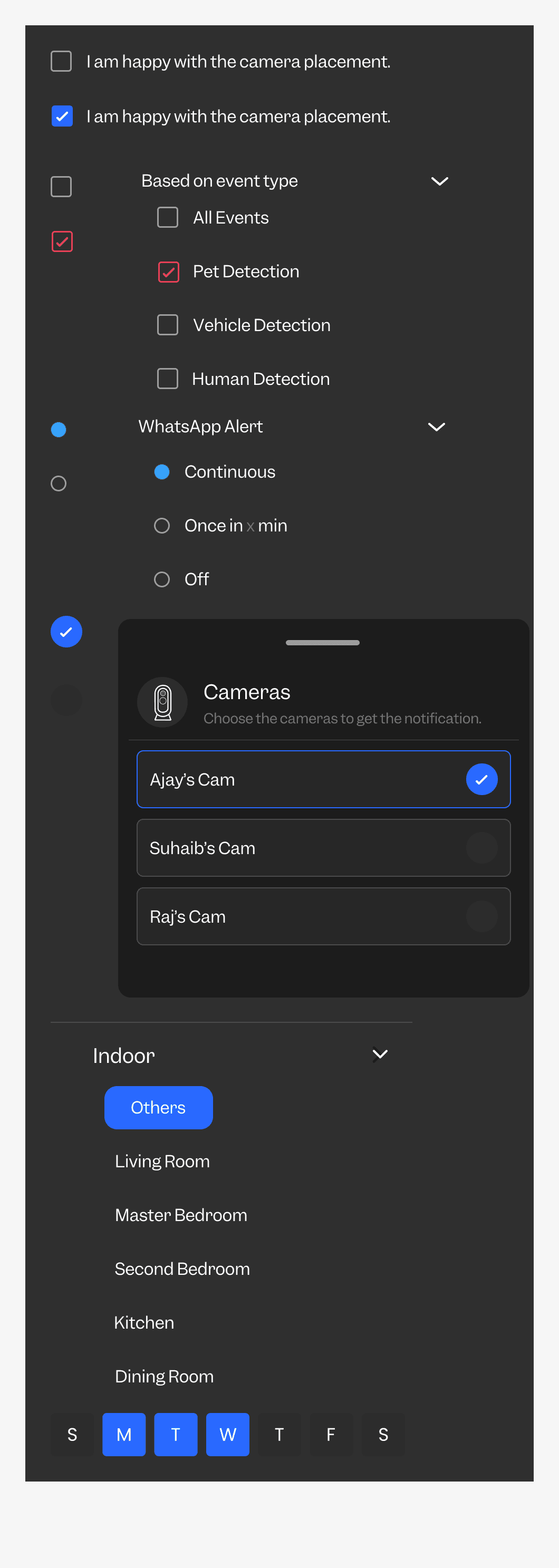
For a Call to Action (CTA) that requires agreement, use a checkbox variation to confirm the user's consent or agreement."
why this process can't be fully automated ? because people with hearing issues or those in noisy environments may miss audio notifications or struggle to hear them clearly.
Ensure consistency in the use of Call to Action (CTA) buttons and checkboxes across the interface.
Haptic feedback or other automated procedures could be explored to enhance camera connectivity and user interaction.
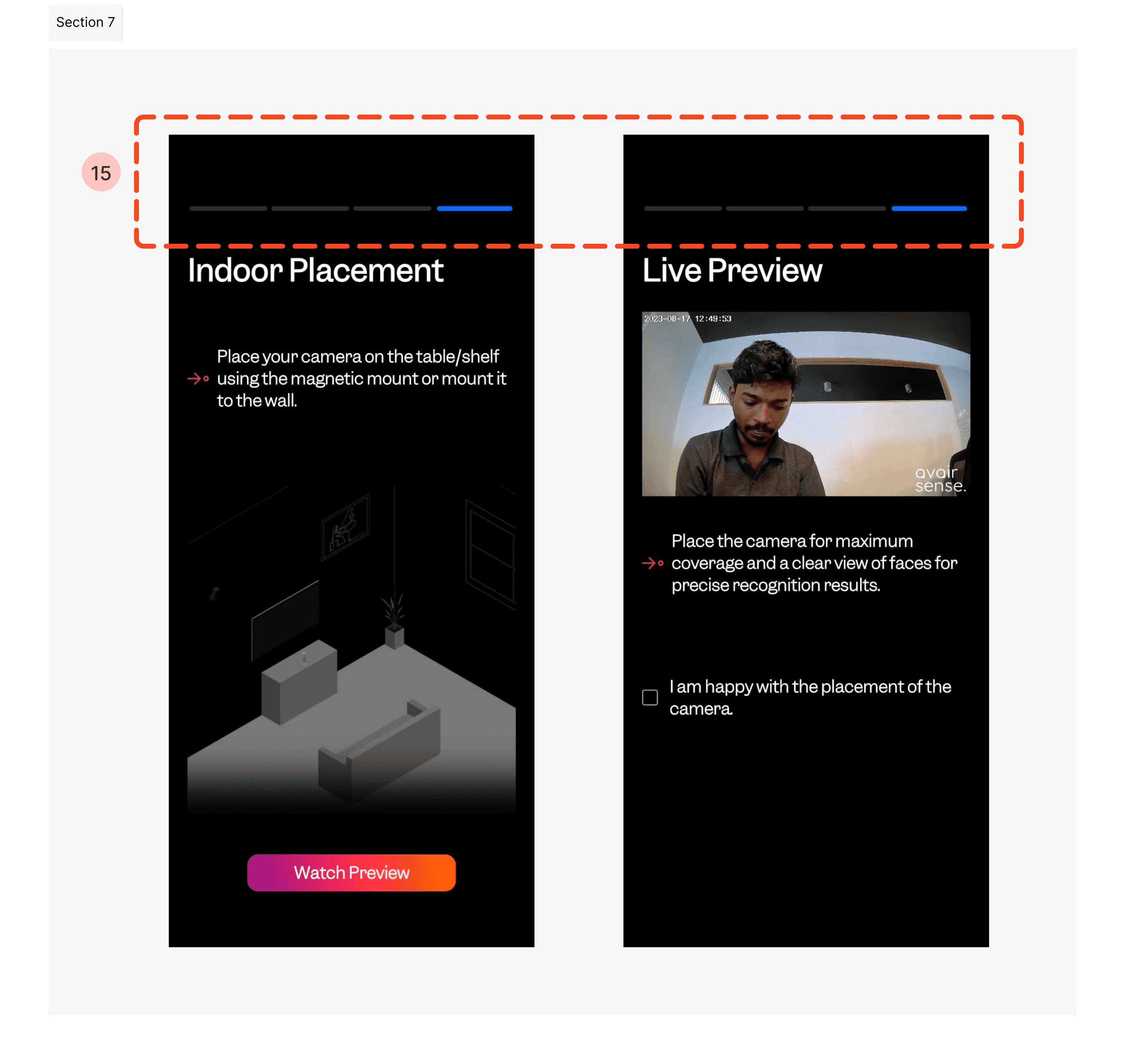
There is currently no back button to allow users to correct mistakes or navigate back.
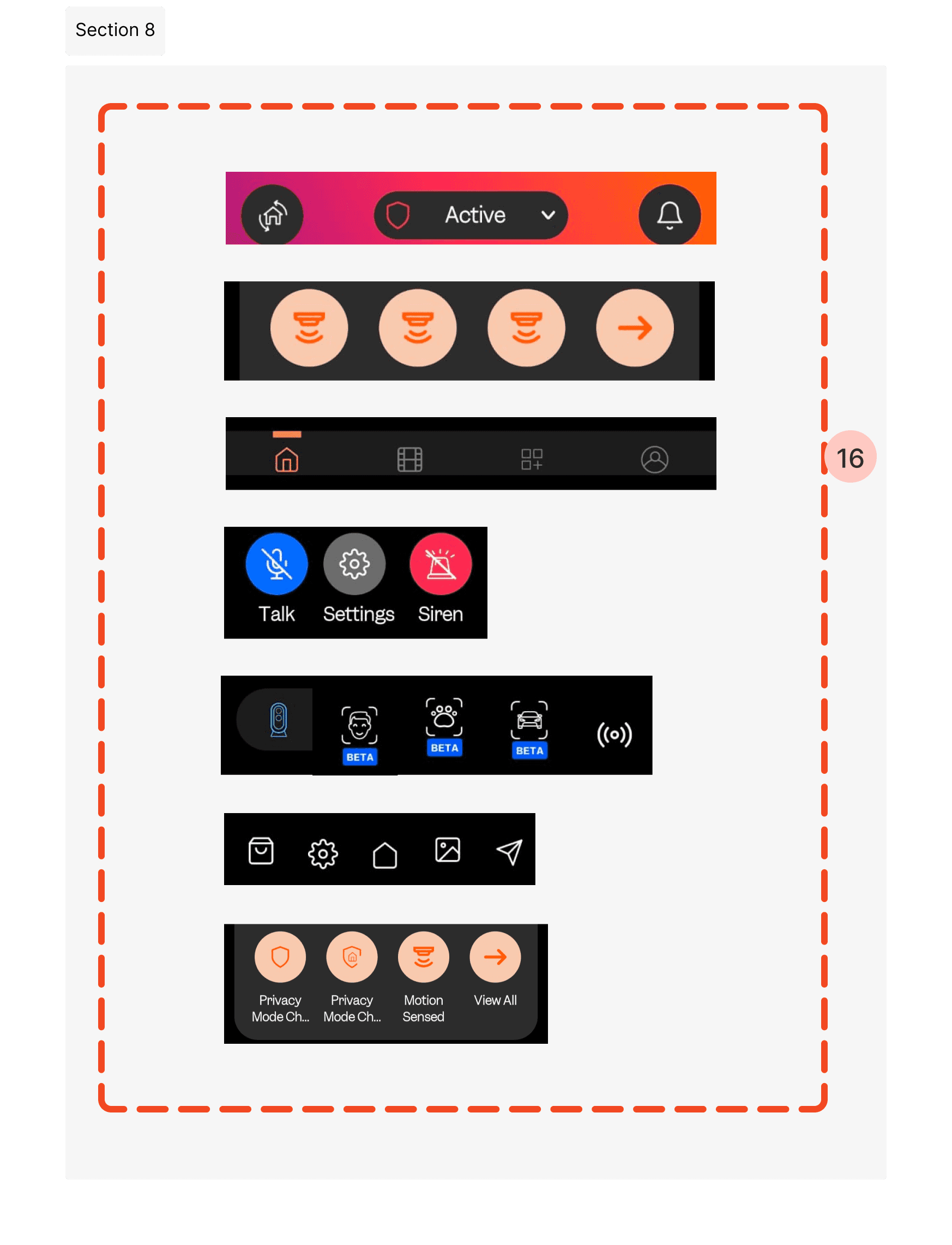
The inconsistency with icons and characters across the app
Back button at every flow.
16. A well-structured design system can effectively optimize and address these errors by providing consistent guidelines
Requirements
To Audit and create a design system (assets) using existing resources, language, and style guides.
Design version 2.0 incorporating insights gathered from the product audit.
Ideate on the home management flow and notification system using insights from user feedback and research.
Design system
Audit Resources: Review and catalog existing design assets and style guides.
Evaluate Guidelines: Assess current language and style for effectiveness and consistency.
Develop System: Create a unified design system elements that integrates resources and aligns with existing resources guidelines.
Buttons
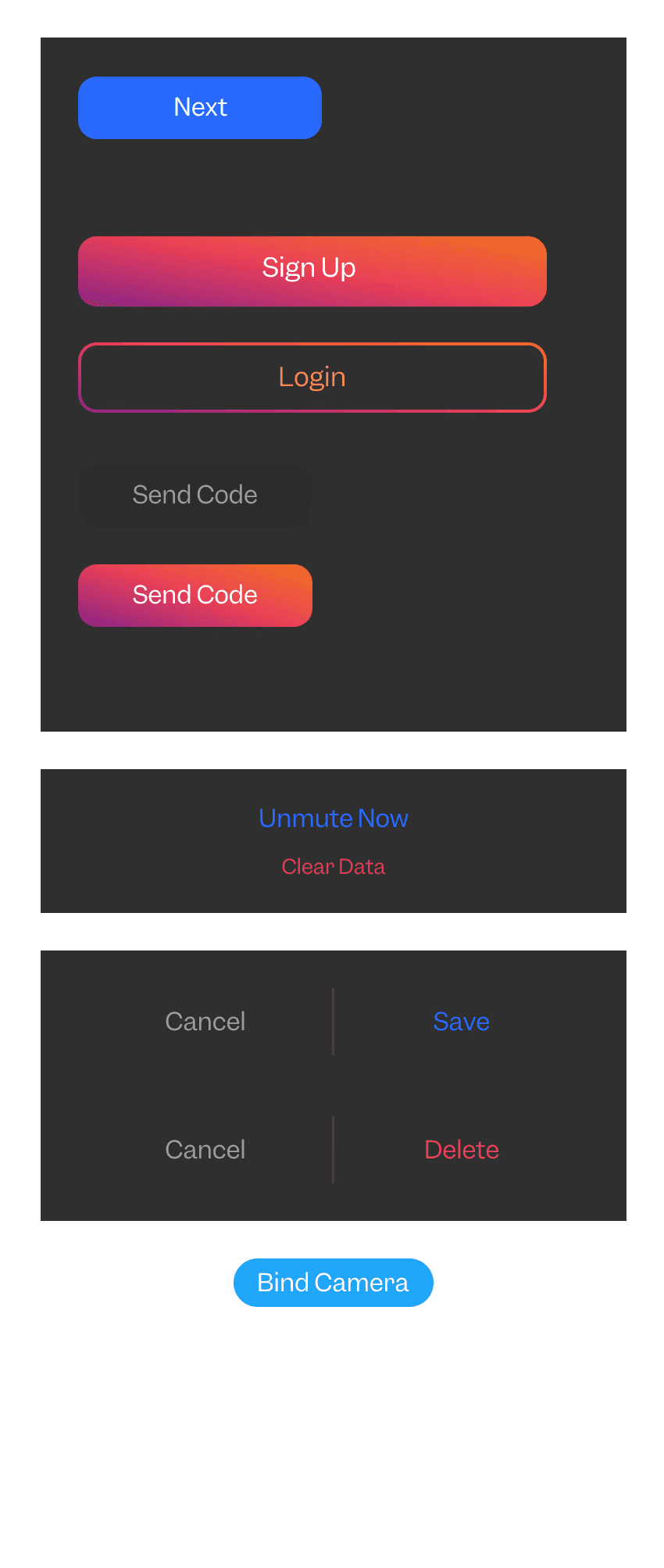
Buttons & Icon buttons
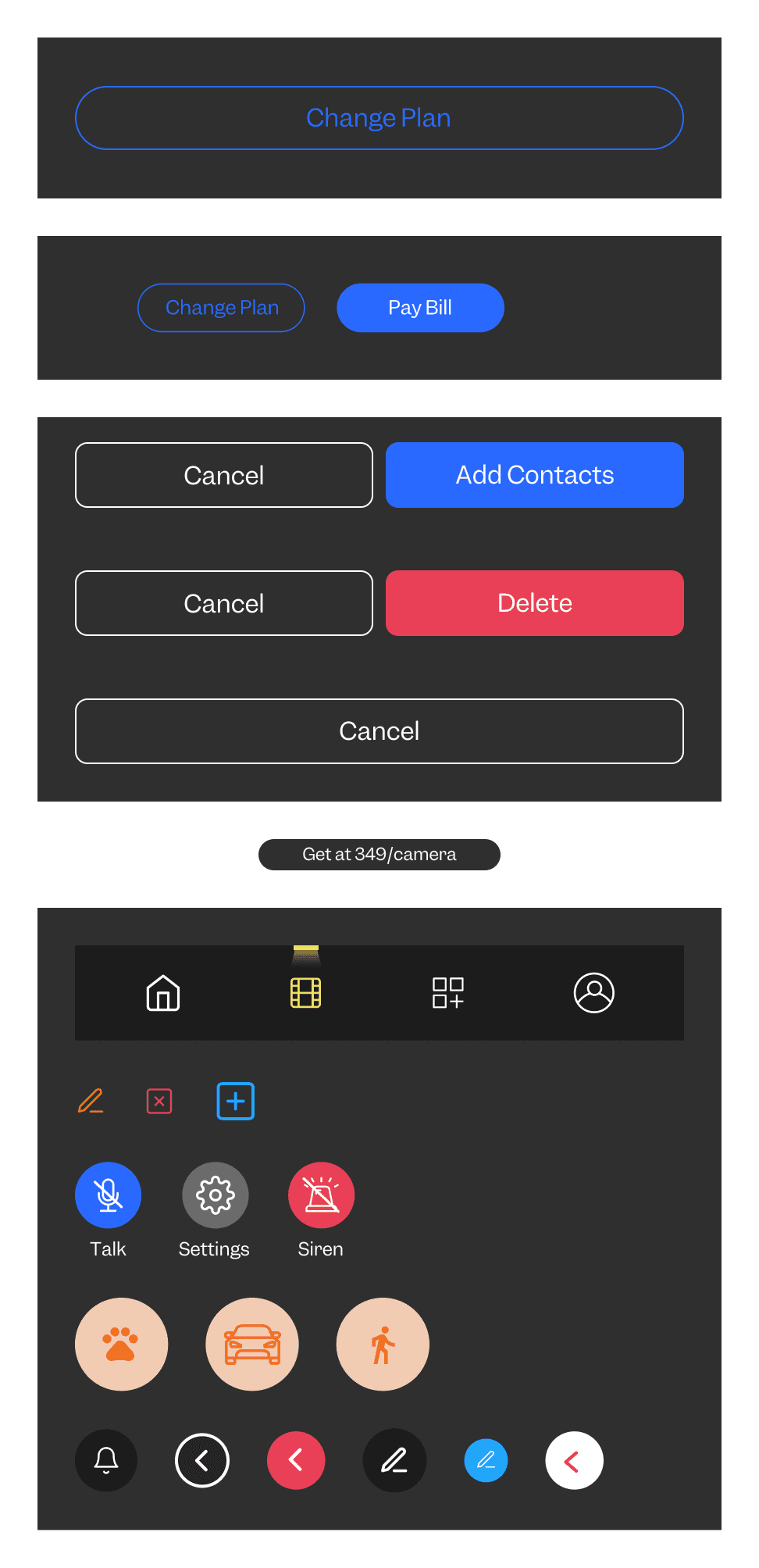
Toggle & input fields
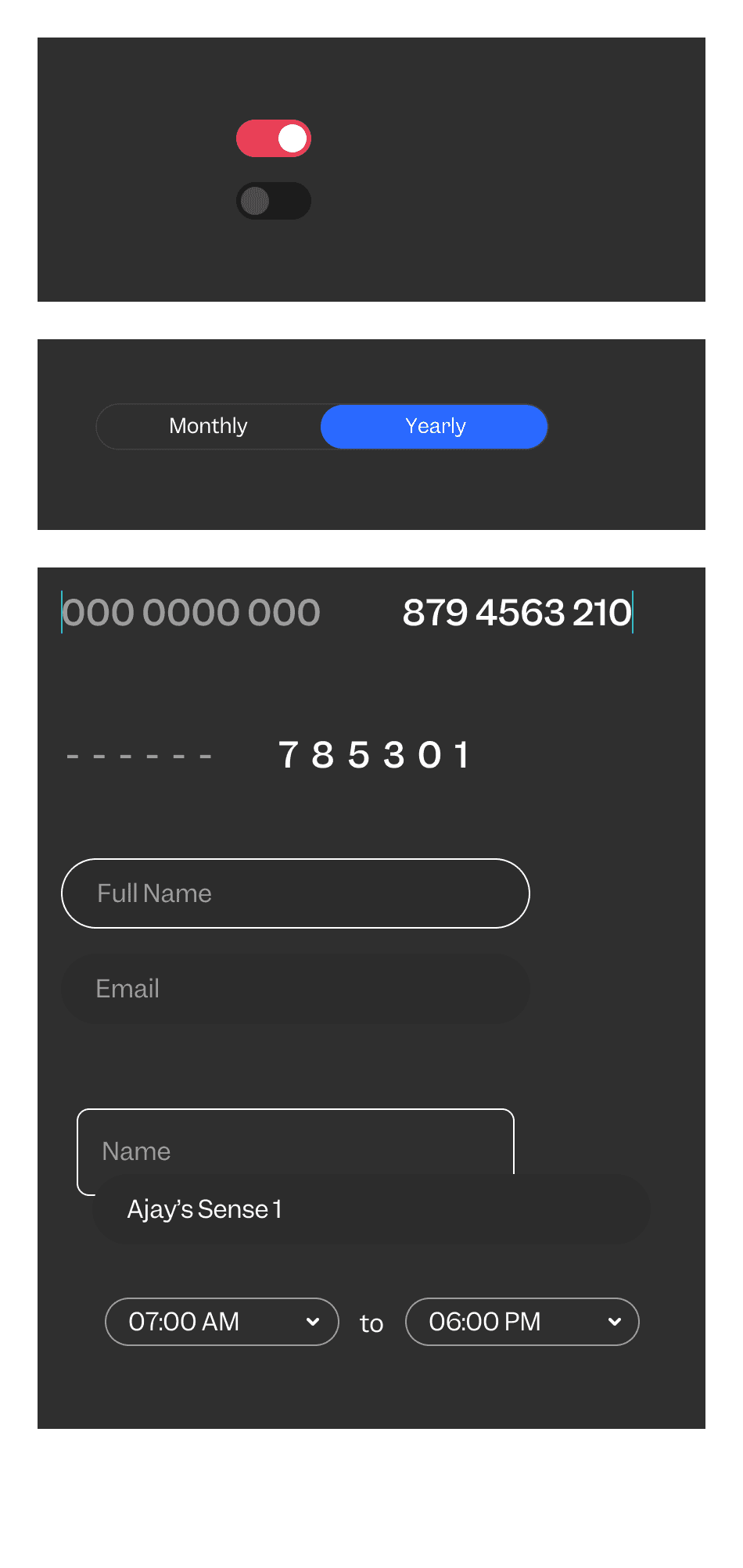
Drop down
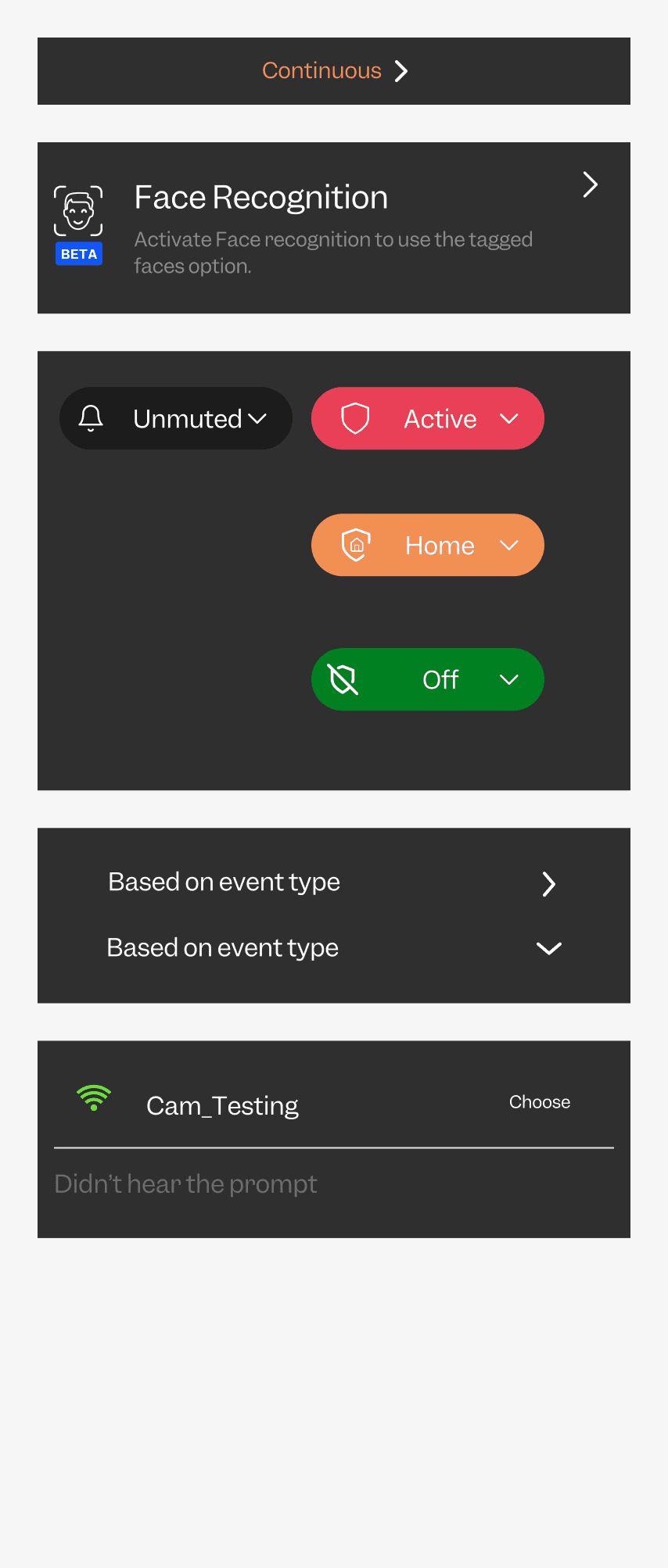
Cards
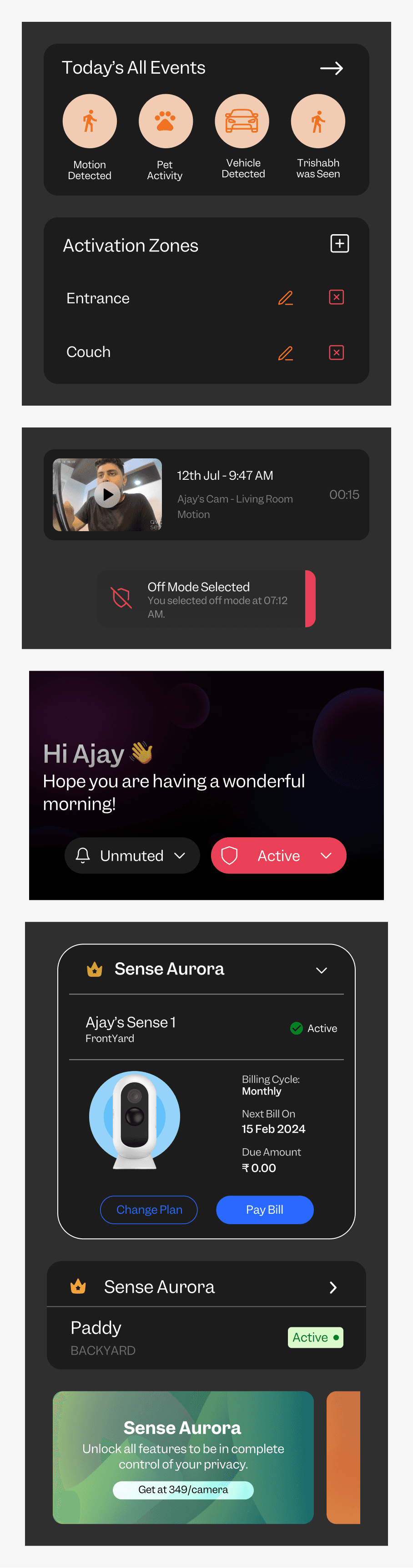
Carousels
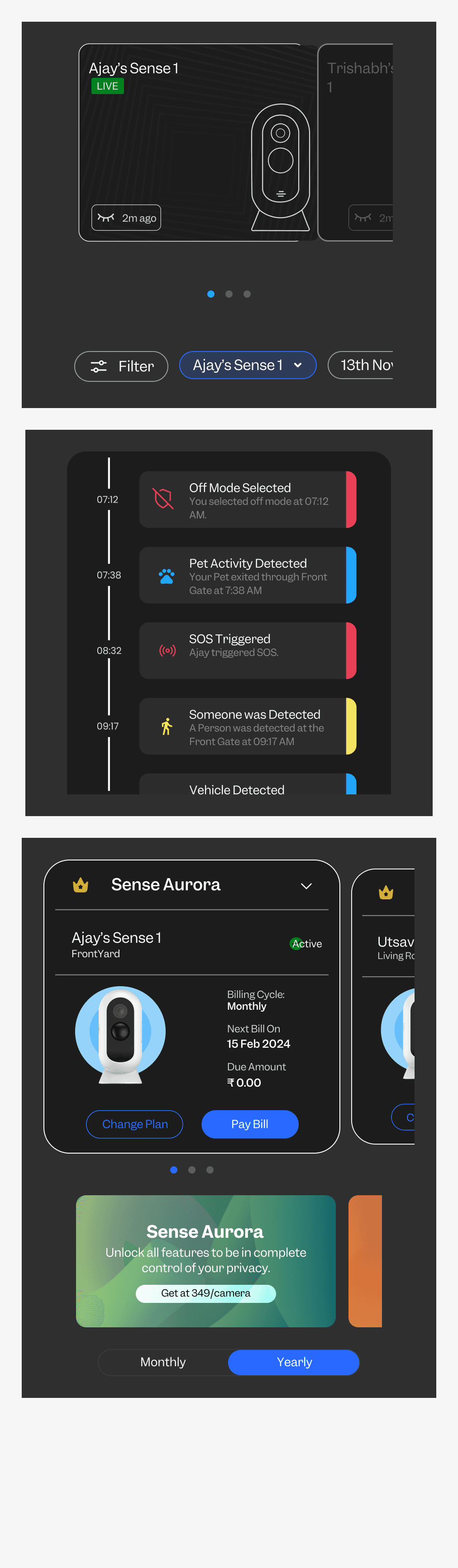
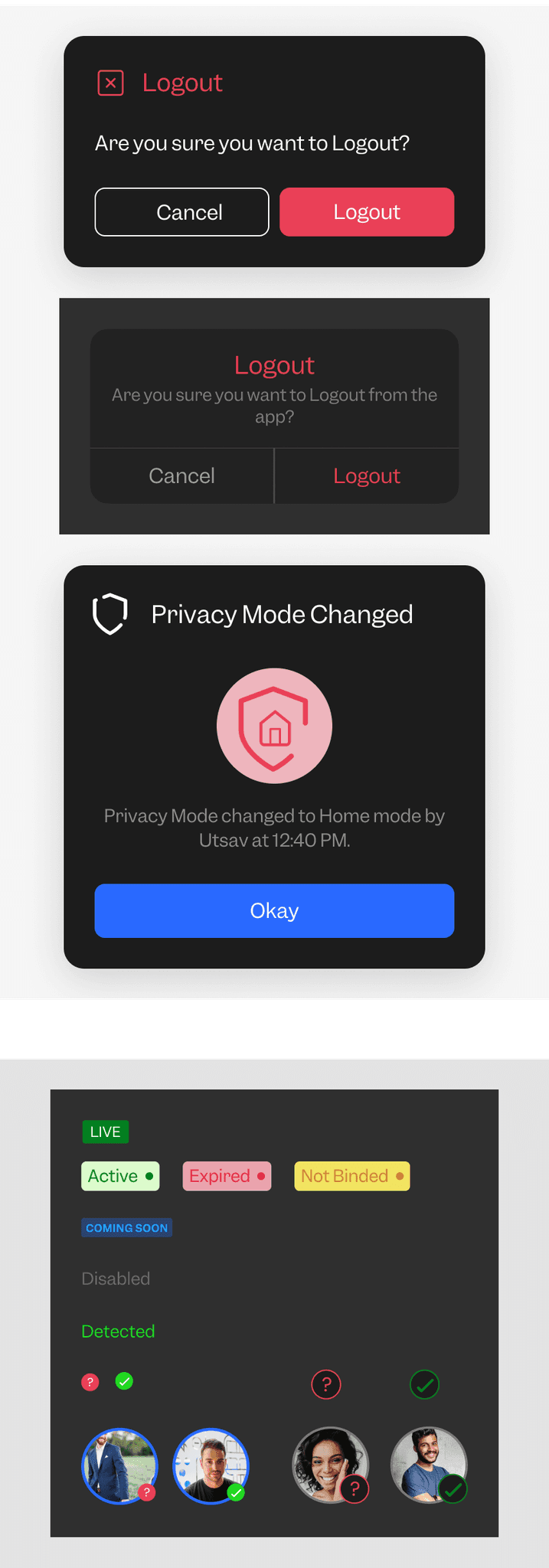
Dialogue and Badges
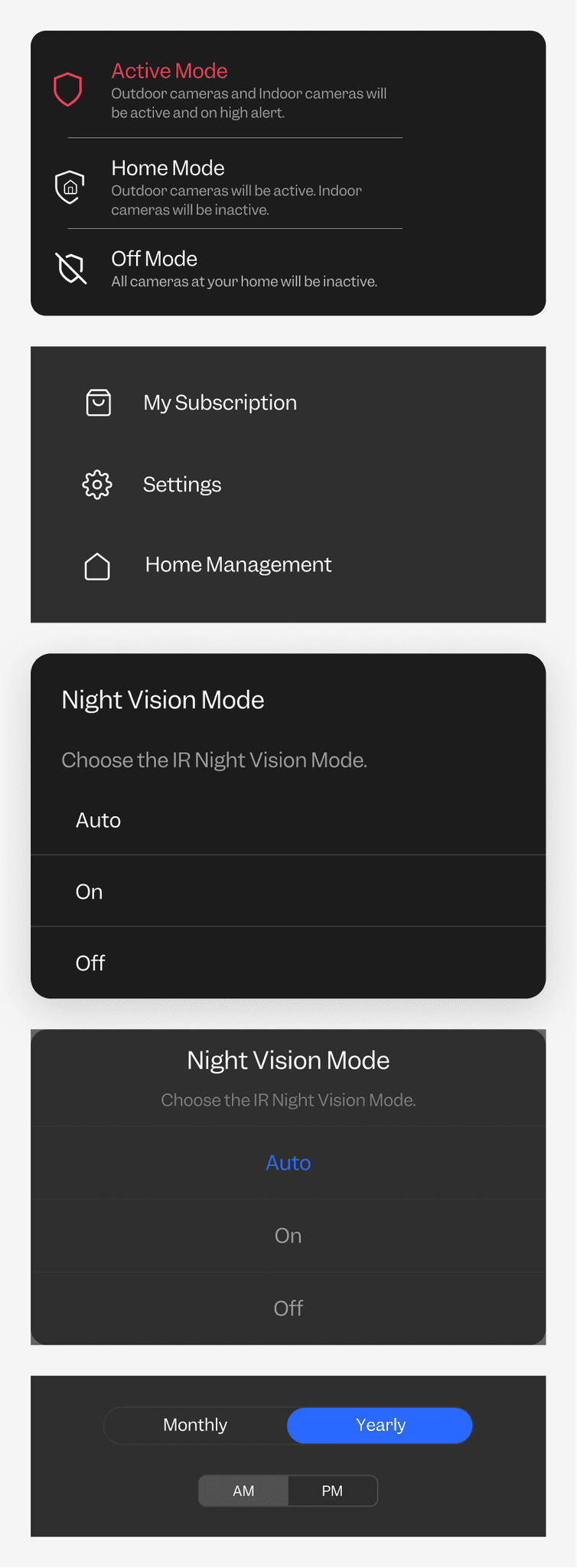
Tabs
Checkbox
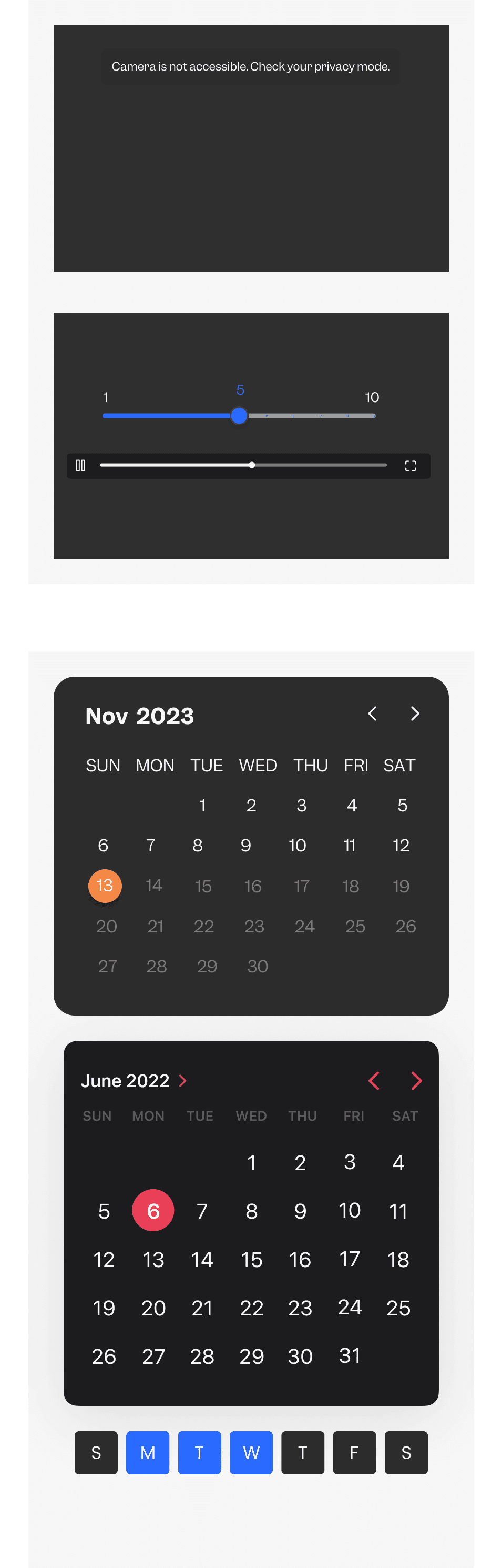
Slider, Toast and Date picker
Icon / elements
Profile / avatar / icons
Camera thumbnail cards
Design Version 2.0
Analyze Audit Insights: Review and interpret insights and findings from the product audit.
Define Improvements: Identify key areas for improvement and enhancement based on the audit insights.
Design Enhancements: Create design solutions and updates for version 2.0 that address the identified issues and leverage opportunities.
Home
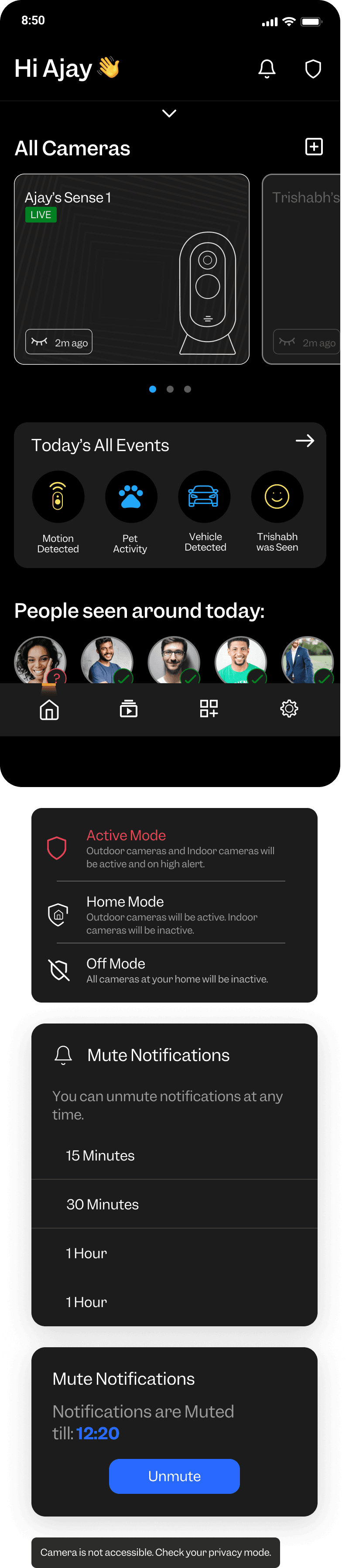
Home expanded
Event screen
Live feed
Event Feed
Event timline
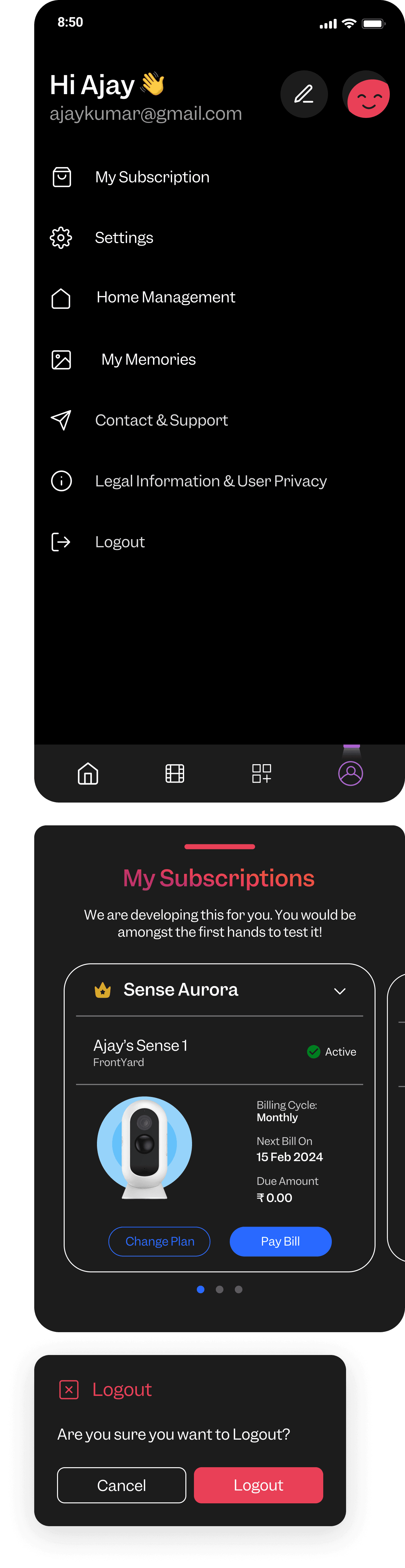
Profile / setting
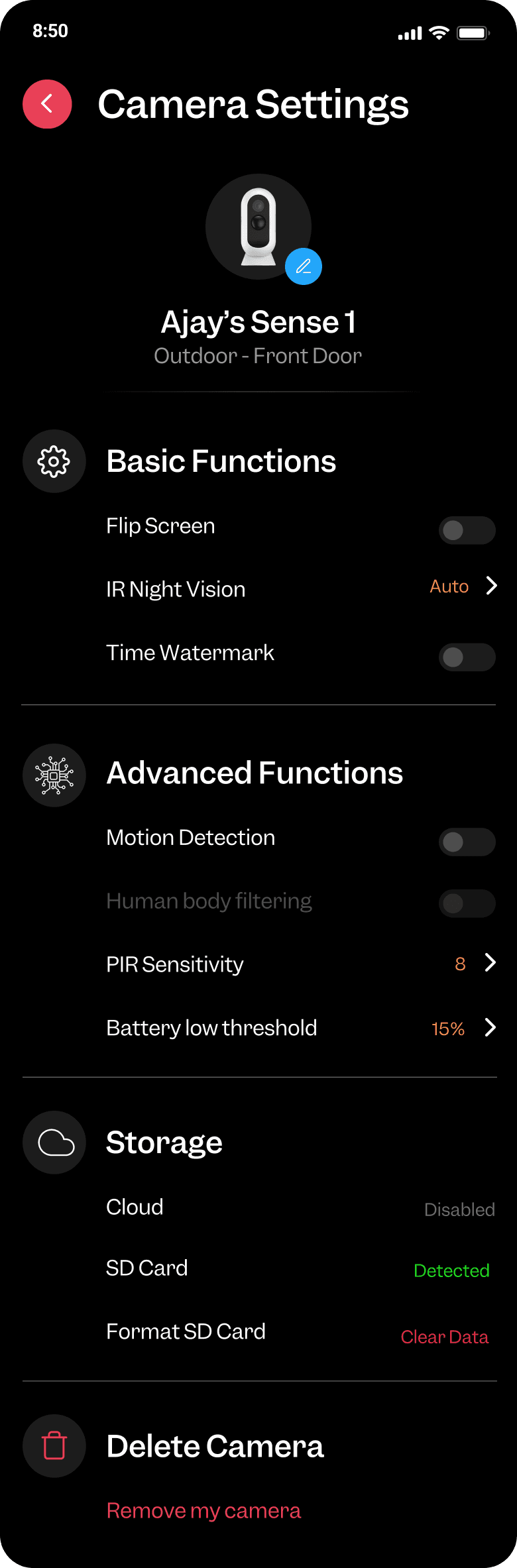
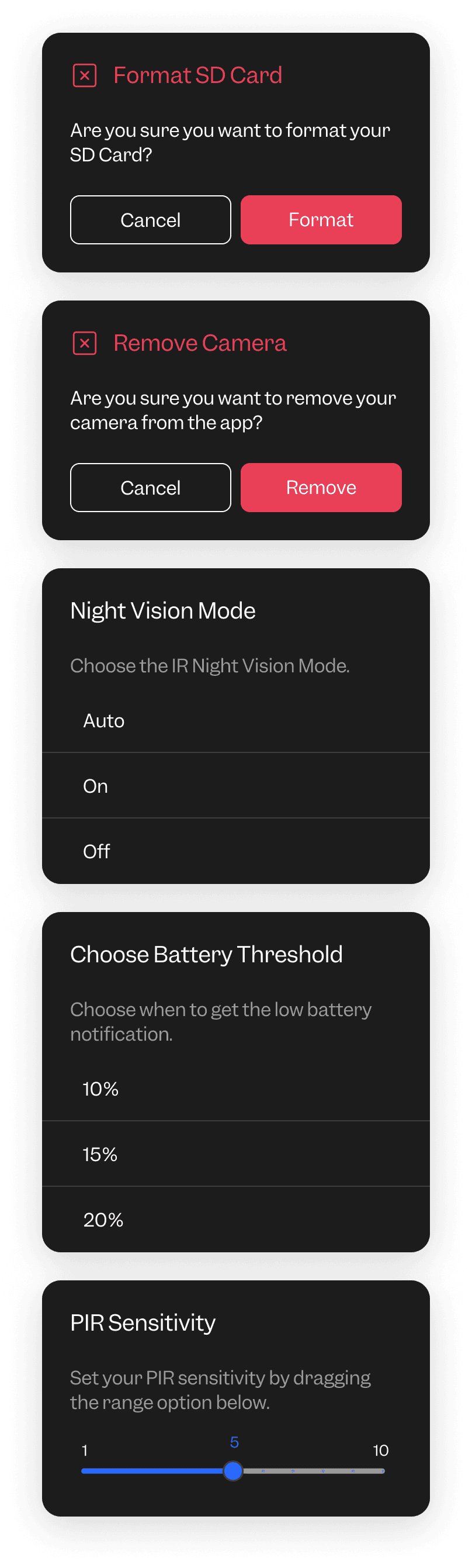
Camera settings
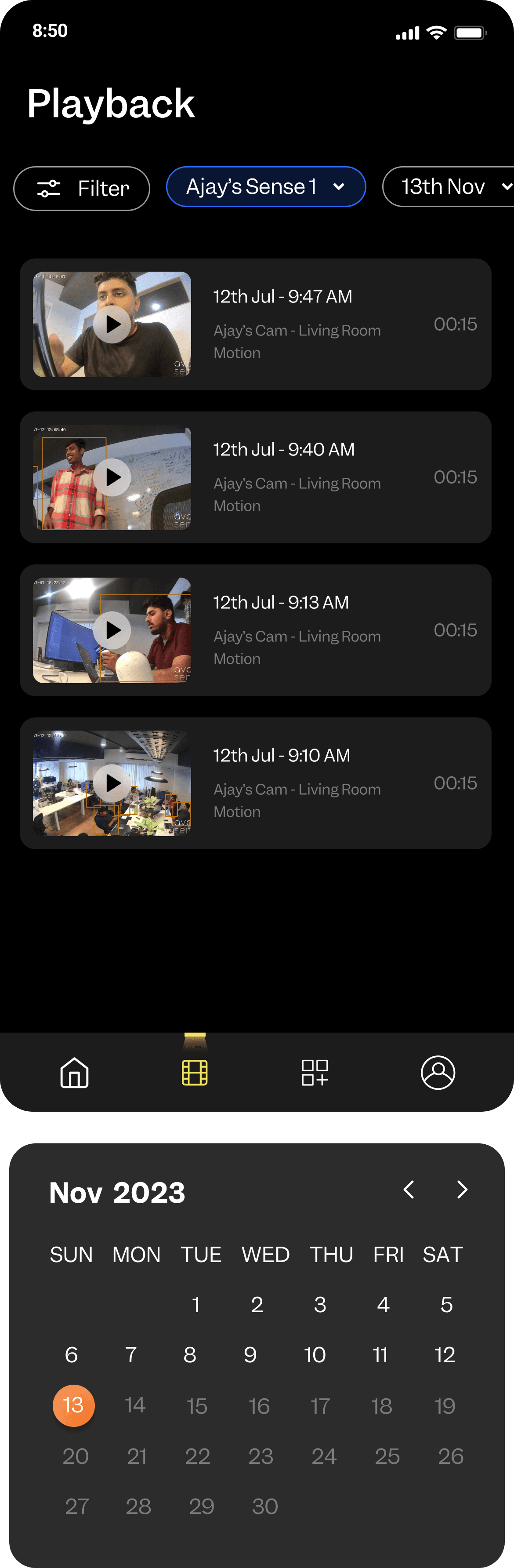
Playback
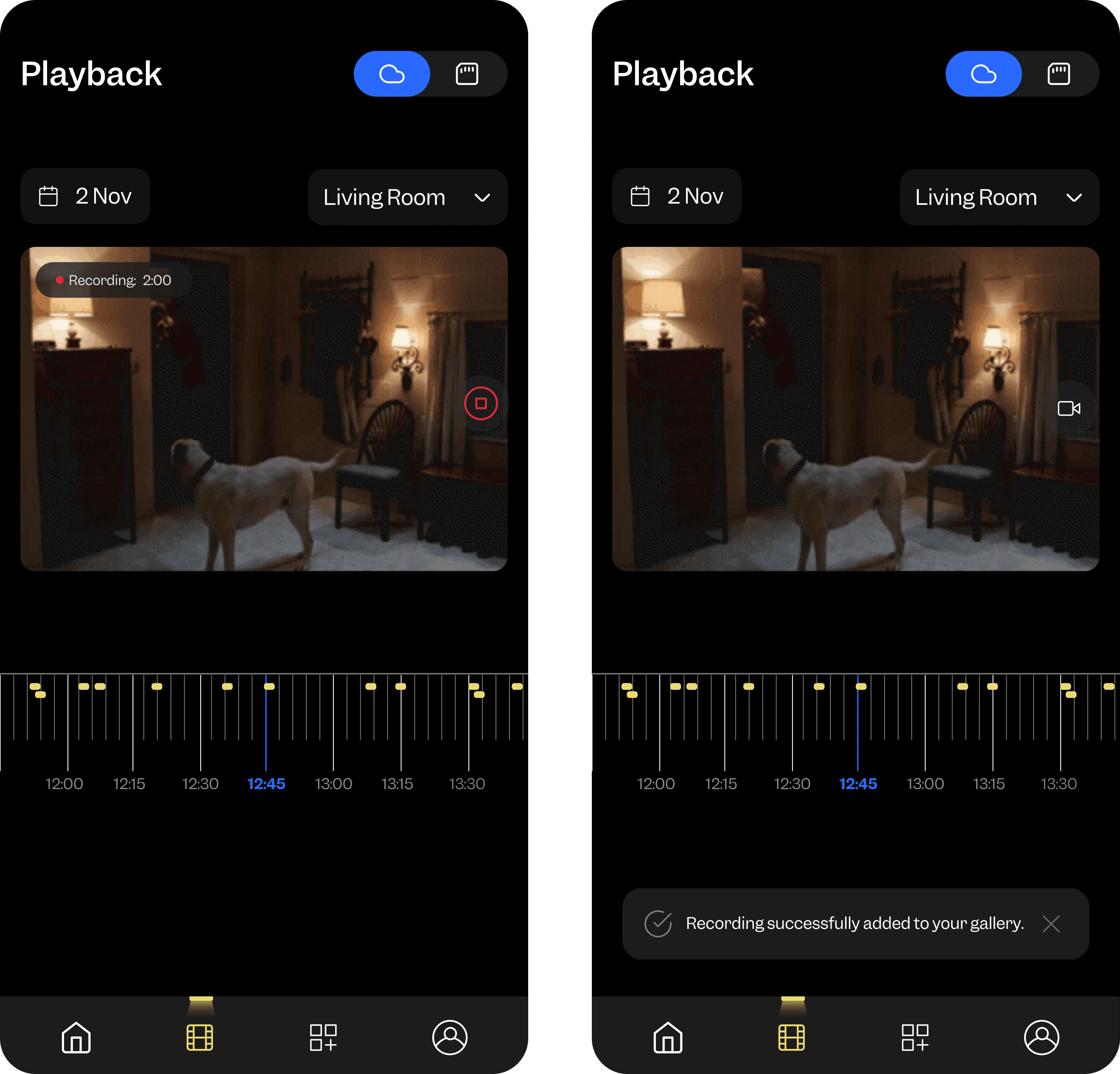
Recordings
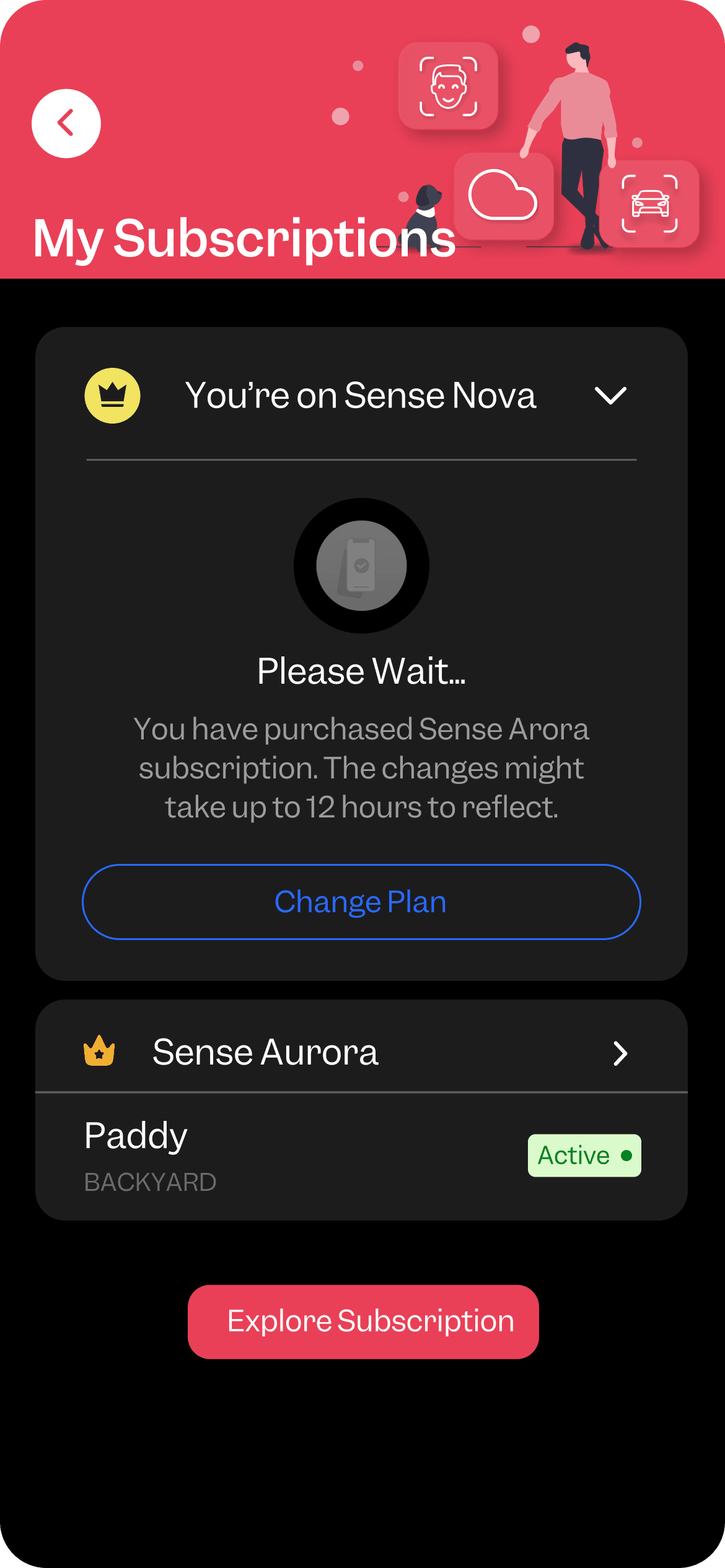
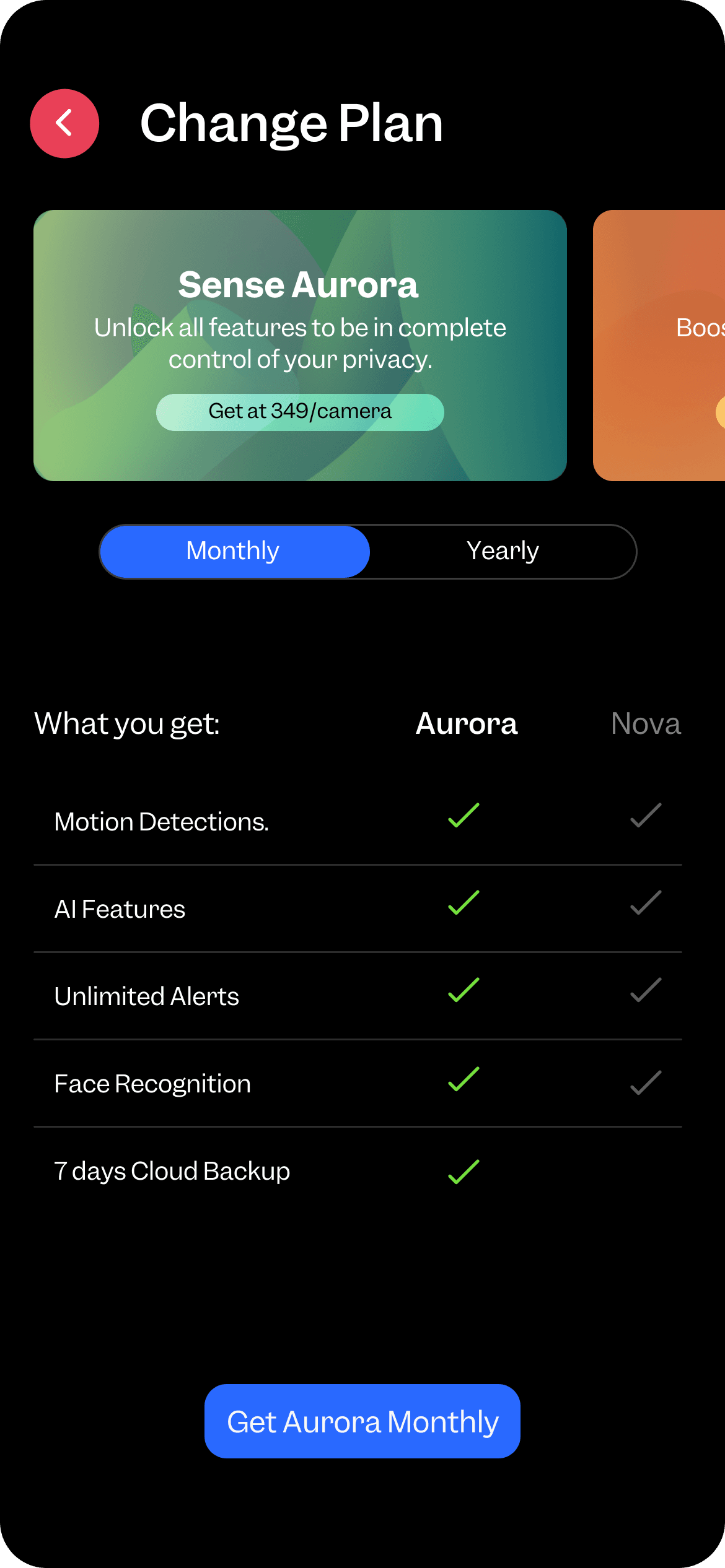
Subscriptions
-
Home Management and Notification system
Gather and Analyze User Feedback: Collect and analyze user feedback related to home management and notification systems.
Conduct Research: Perform additional research to understand best practices and user needs for home management and notifications.
Generate Ideation: Brainstorm and generate ideas for optimizing the home management flow and notification system based on feedback and research insights.
Based on responses received nearly from 40 users , the following average data & insights have been gathered.
1. Overall Experience:
On a scale of 1 to 10, how would you rate your overall experience with our product? (1 - Bad, 10 - Good)
[ ] 1 [ ] 2 [ ] 3 [ ] 4 [ ] 5 [ ] 6 [ ] 7 [ ] 8 [ ] 9 [ ] 10
2. Camera Quality:
How satisfied are you with the quality of our cameras?
[ 35 ] Satisfied [ 5 ] Not Satisfied
3. Valuable Features:
Please select the features you find most valuable (Check all that apply):
[ 30 ] Video Quality [ 3 ] Play Back Feature [ 25 ] Instant Notification Alert [ 35 ] Motion Detection [ 14 ] Two Way Audio [ 13 ] Face Recognition [ 15 ] Home Management [ ] Other (please specify): ______________
4. Other Valuable Feature:
If you selected "Other" above, please type the feature you find valuable:
Zone definition, Battery
5. Areas for Improvement:
Choose which area(s) can be improved (Check all that apply):
[ 15 ] Face Recognition [ 28 ] Notification Alert [ 20 ] Home Management [ ] Other (please specify): ________________
6. Improvement Suggestions:
Please tell us what can be improved in the feature you selected:
Notification control , Members adding, face recognition accuracy.
7. App User Experience:
Rate your experience using our mobile application on a scale of 1 to 10. (1 - Bad, 10 - Good)
[ ] 1 [ ] 2 [ ] 3 [ ] 4 [ ] 5 [ ] 6 [ ] 7 [ ] 8 [ ] 9 [ ] 10
8. Frequency of Use:
How frequently do you use our application?
[ 15 ] Regularly to monitor [ 18 ] When alert notification comes [ 4 ] Not often [ ] Other (please specify): ________________
9. Notification Feature:
How do you rate our smart notification feature on a scale of 1 to 10? (1 - Bad, 10 - Good)
[ ] 1 [ ] 2 [ ] 3 [ ] 4 [ ] 5 [ ] 6 [ ] 7 [ ] 8 [ ] 9 [ ] 10
Choose the following problems related to the notification feature (Check all that apply):
[ 30 ] Lot of notification spamming [ ] Other (please specify): ________________
10. Recommendation:
Would you recommend our product to your friends and family?
[ 24 ] Yes [ 16 ] No
11. Additional Feedback:
Please provide any additional feedback or comments:
Notification Setting redesign
Current Issues
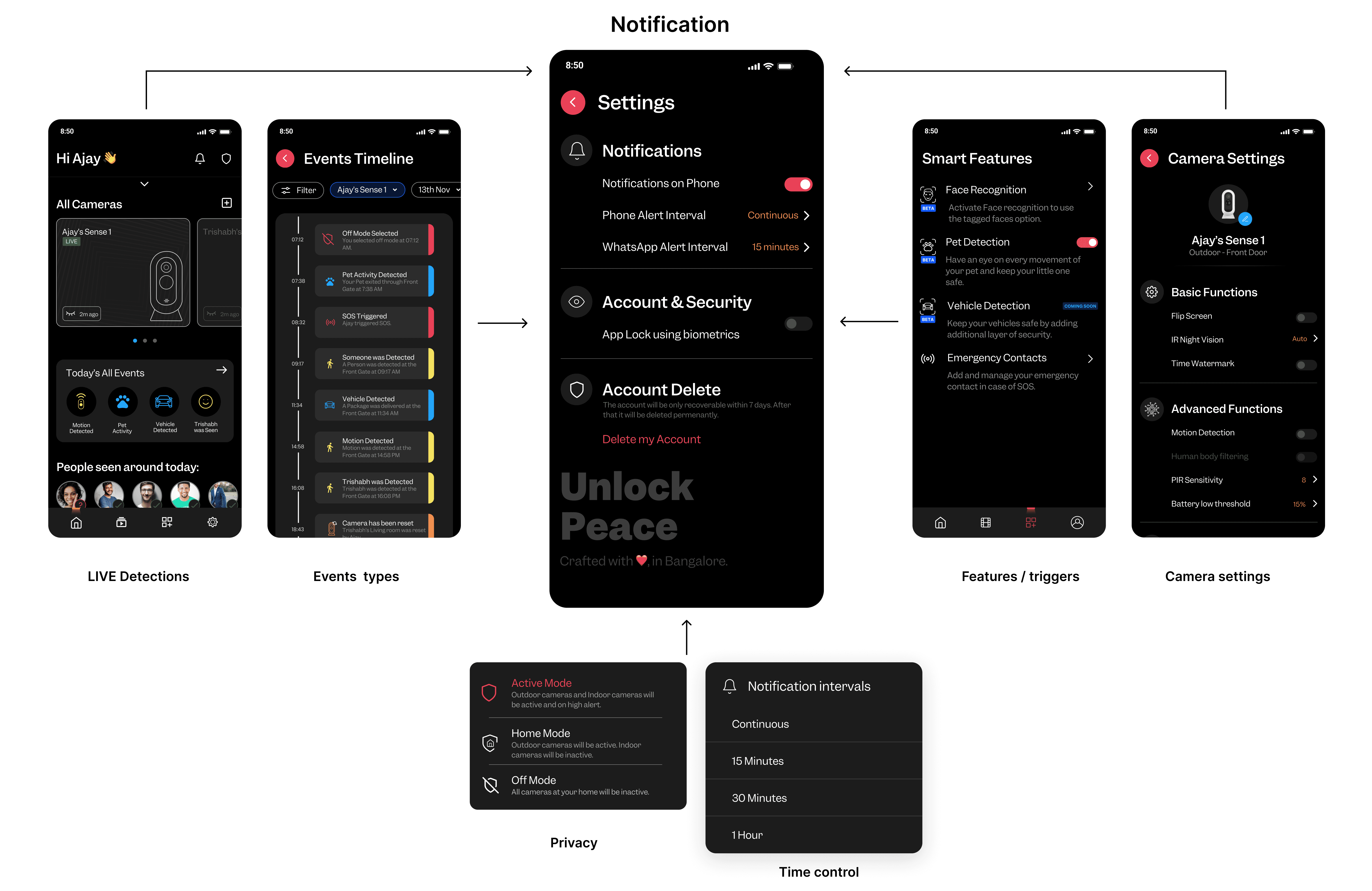
Limited Preset Options: The existing system offers only a few preset notification types, leading to insufficient customization and also reason for spamming.
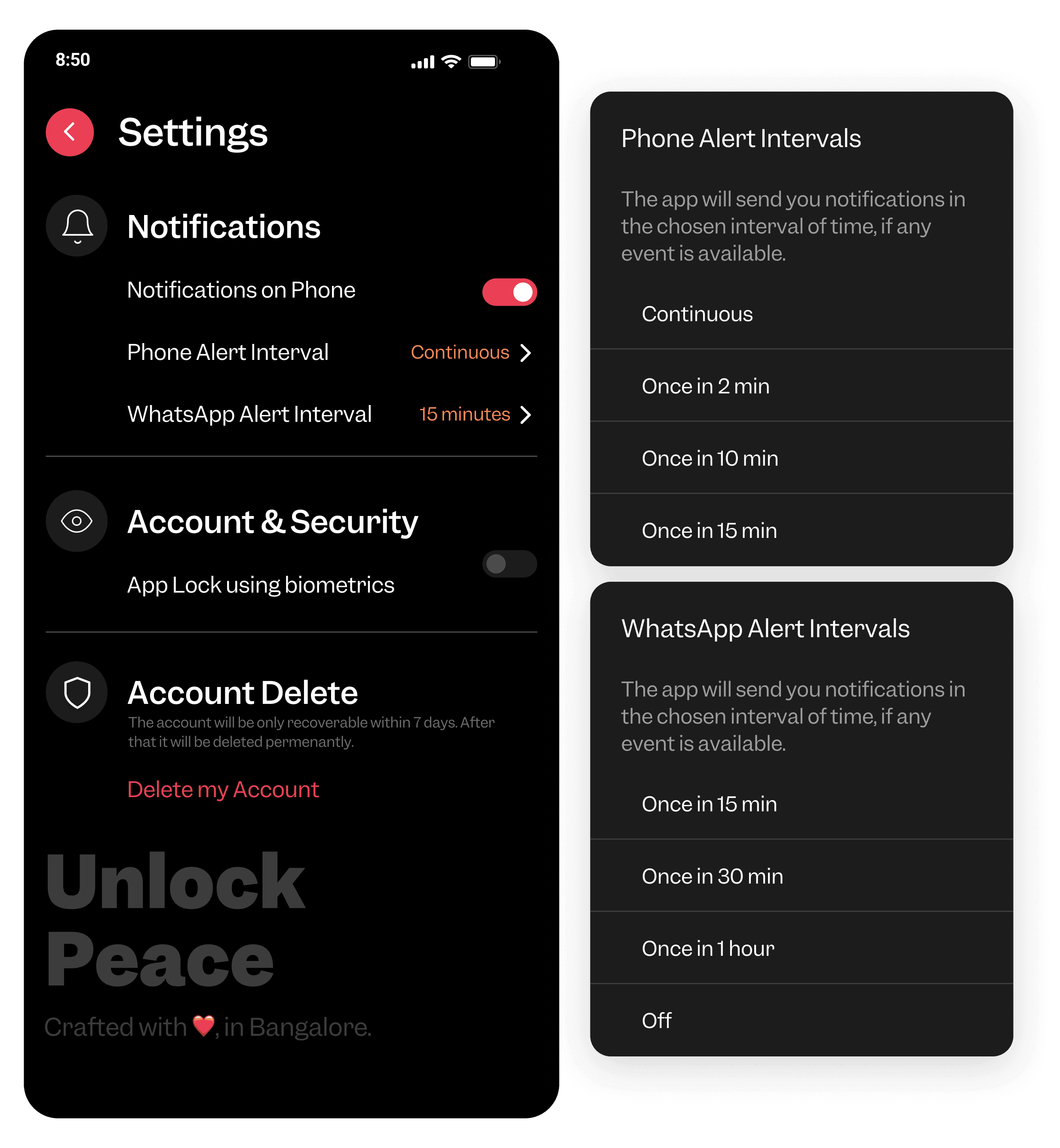
High Volume of Alerts: Users experience notification spamming, where they receive excessive alerts, many of which may not be critical causing frustration to users .
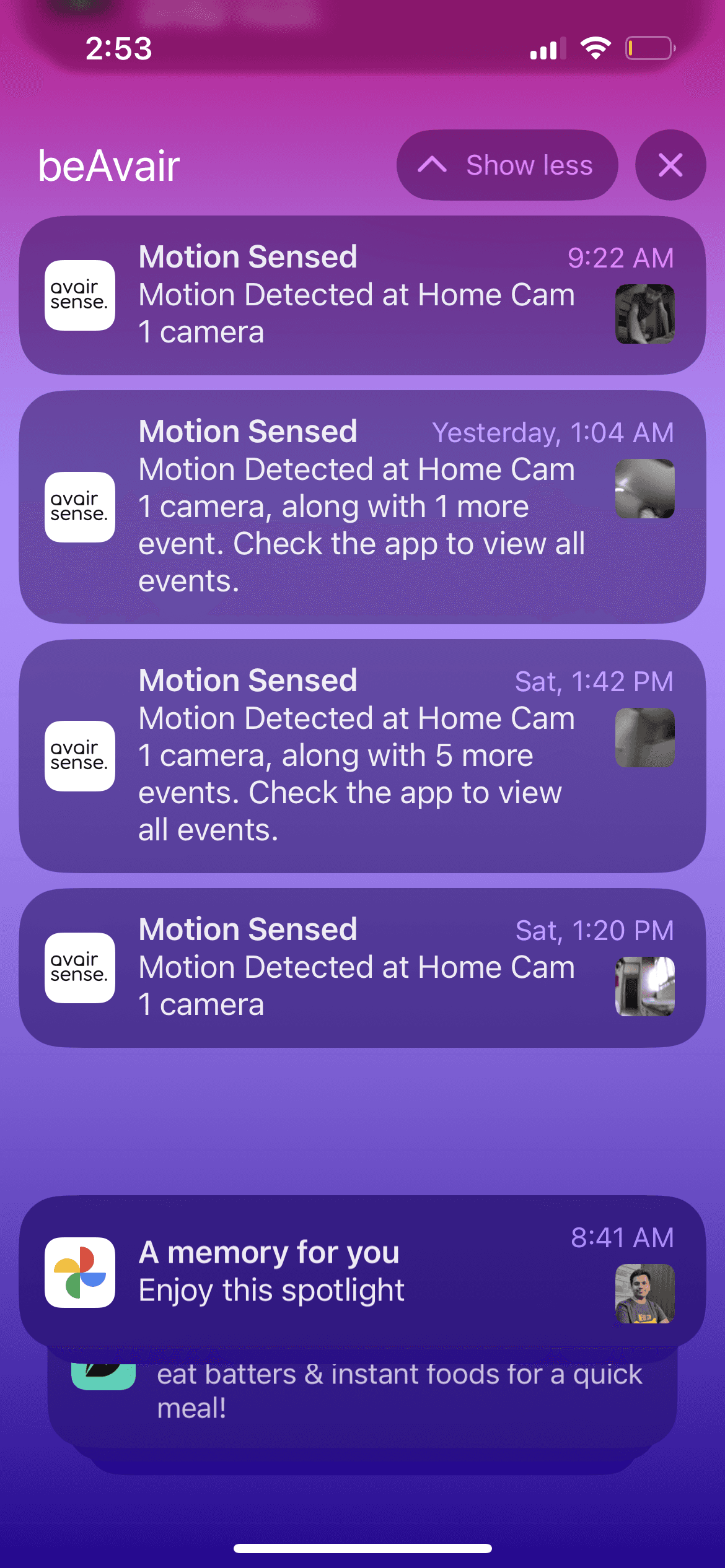
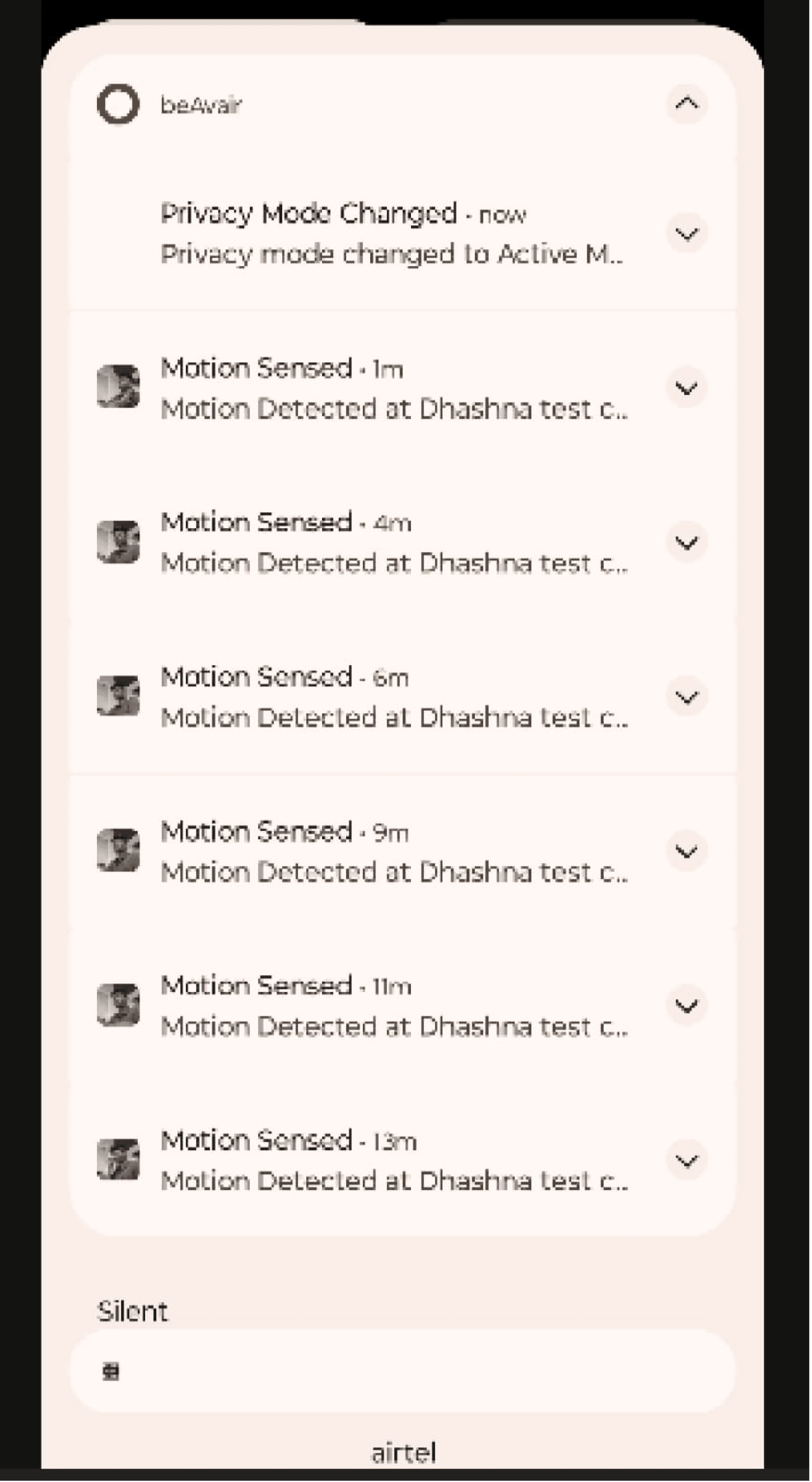
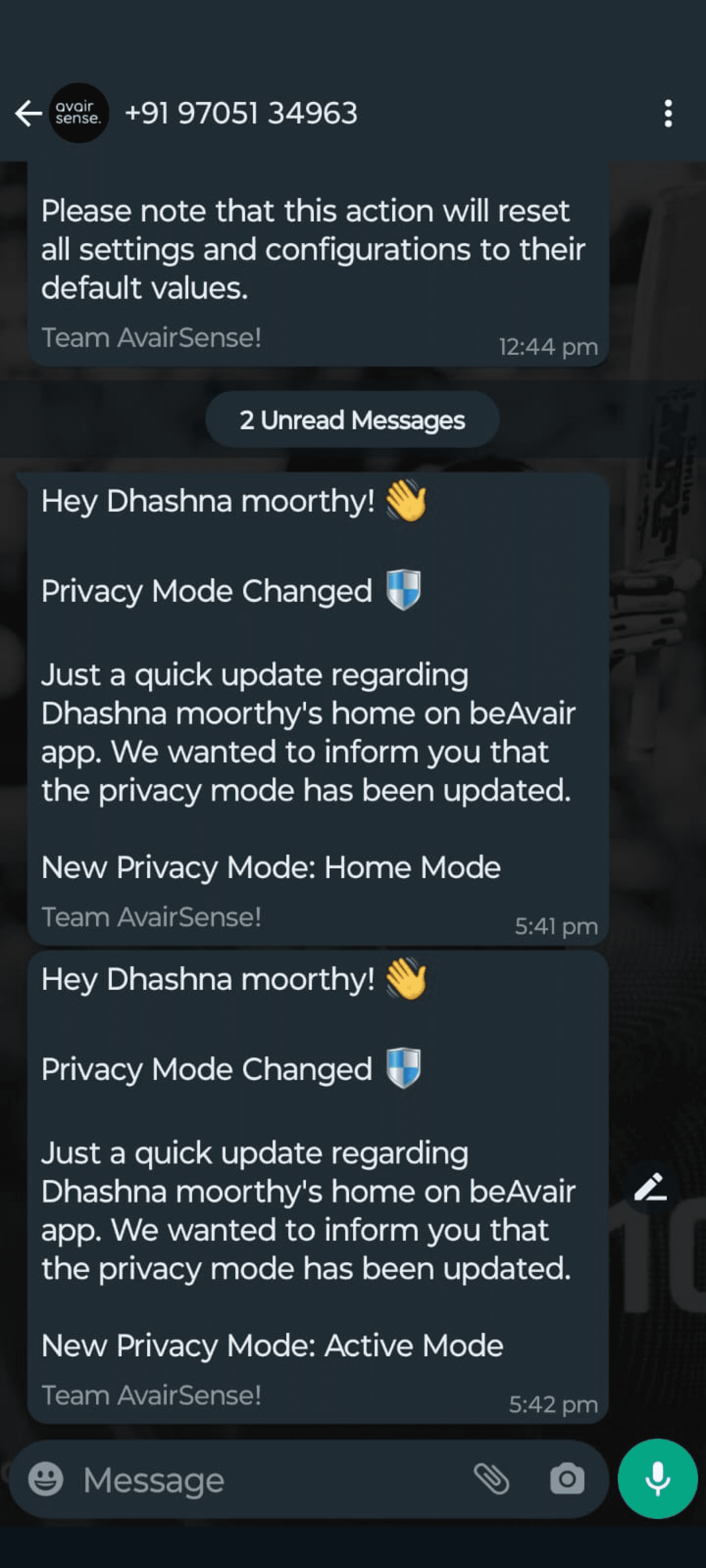
Problem Identified: Existing notifications are limited to time control and privacy modes, lacking flexibility in reflecting camera status, location, events, features/triggers, and personalized control. This restricts users from efficiently managing critical alerts, leading to potential frustration and reduced usability.
Objectives:
Expand Notification Control: Integrate camera status, location, and event-based triggers into notifications.
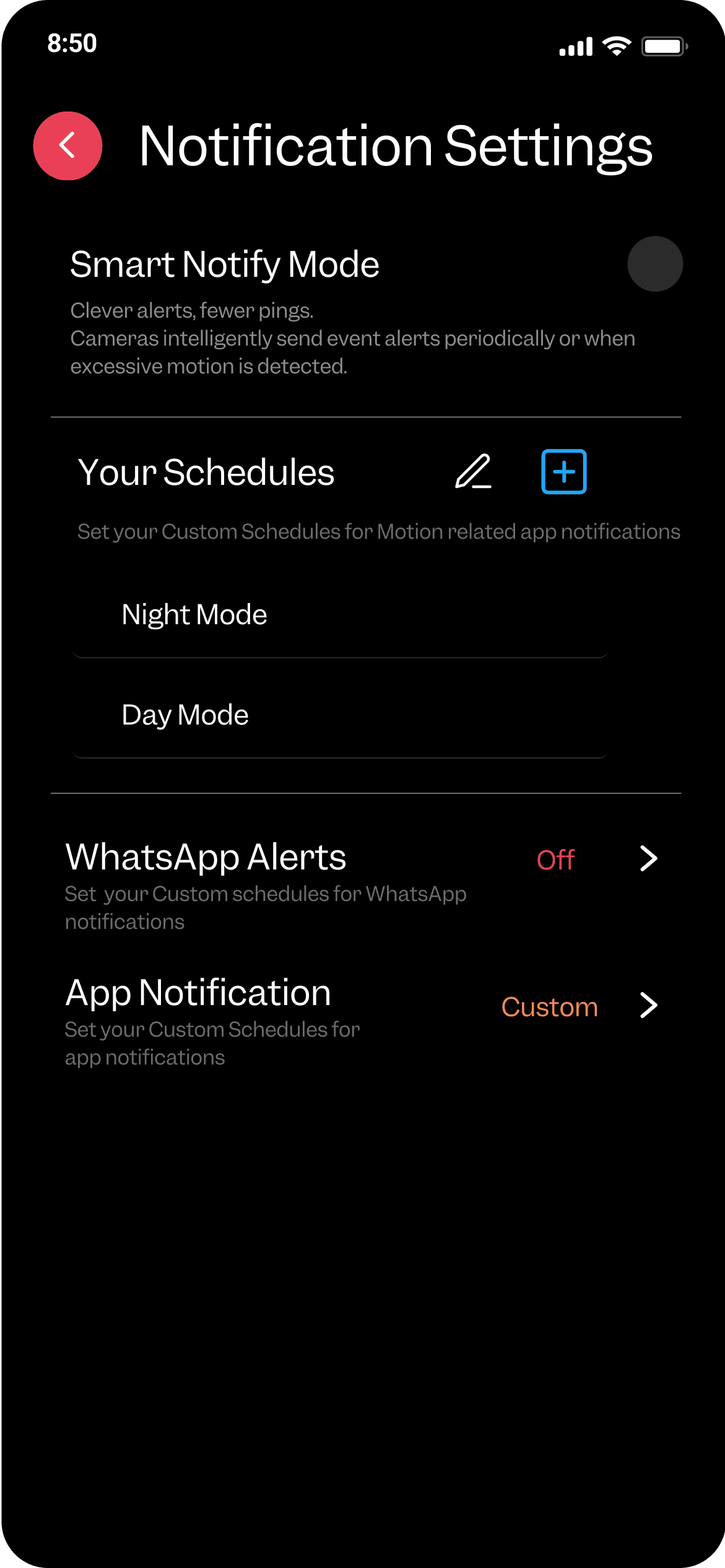
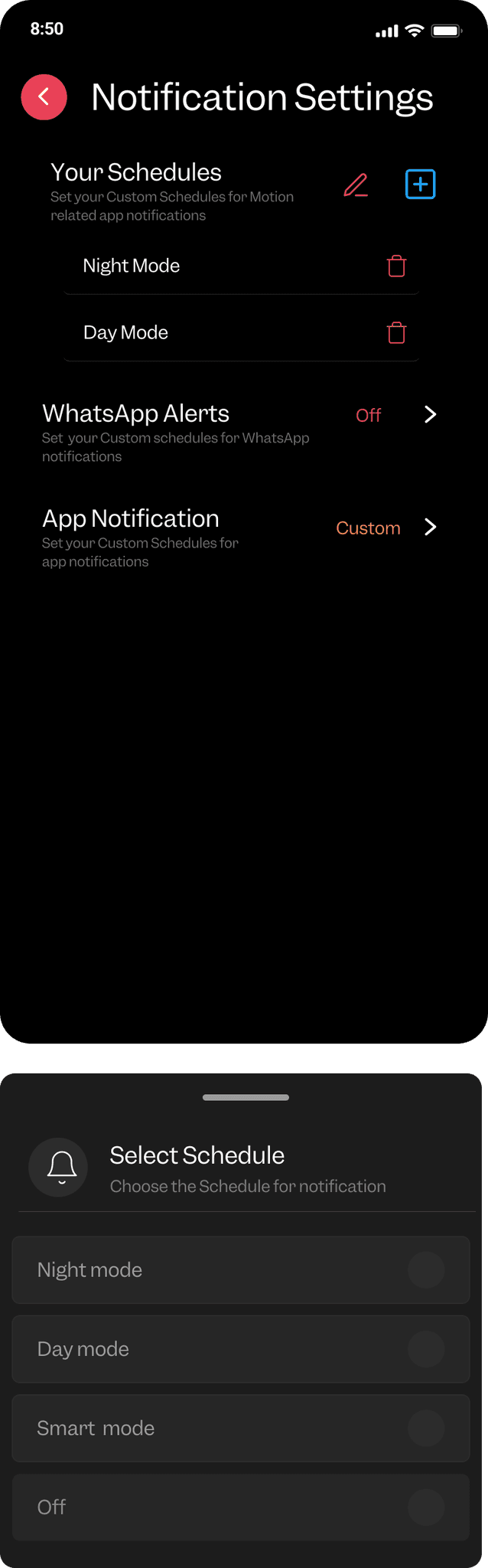
Enhance Customization: Provide users with options to tailor notifications based on individual preferences and schedules.
Improve Relevance: Ensure notifications are context-sensitive and directly related to user-defined criteria.
Maintain User Experience: Design notifications to be informative and actionable, minimizing disruptions and enhancing usability for safety and security.
Optimize Usability: Create a balanced notification system that supports effective user engagement without causing frustration.
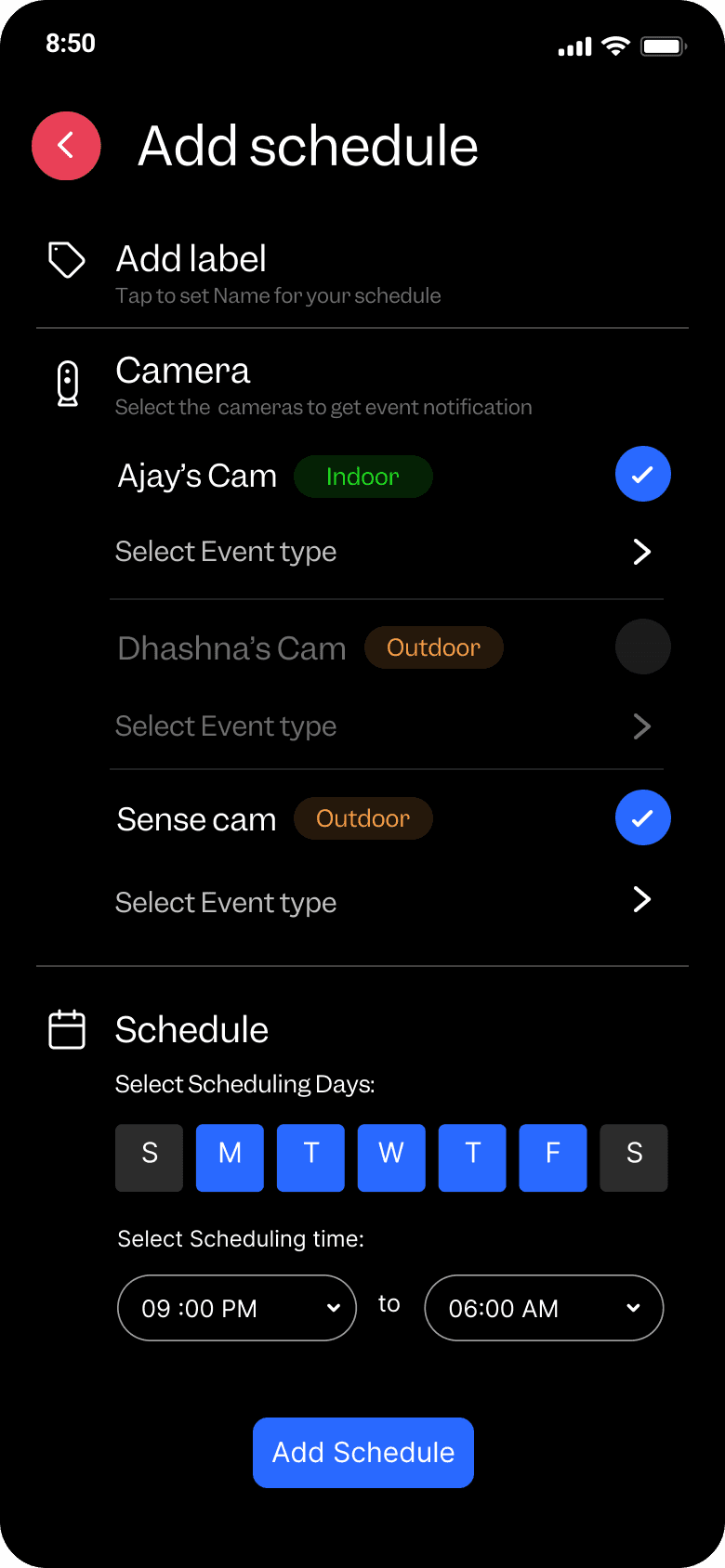
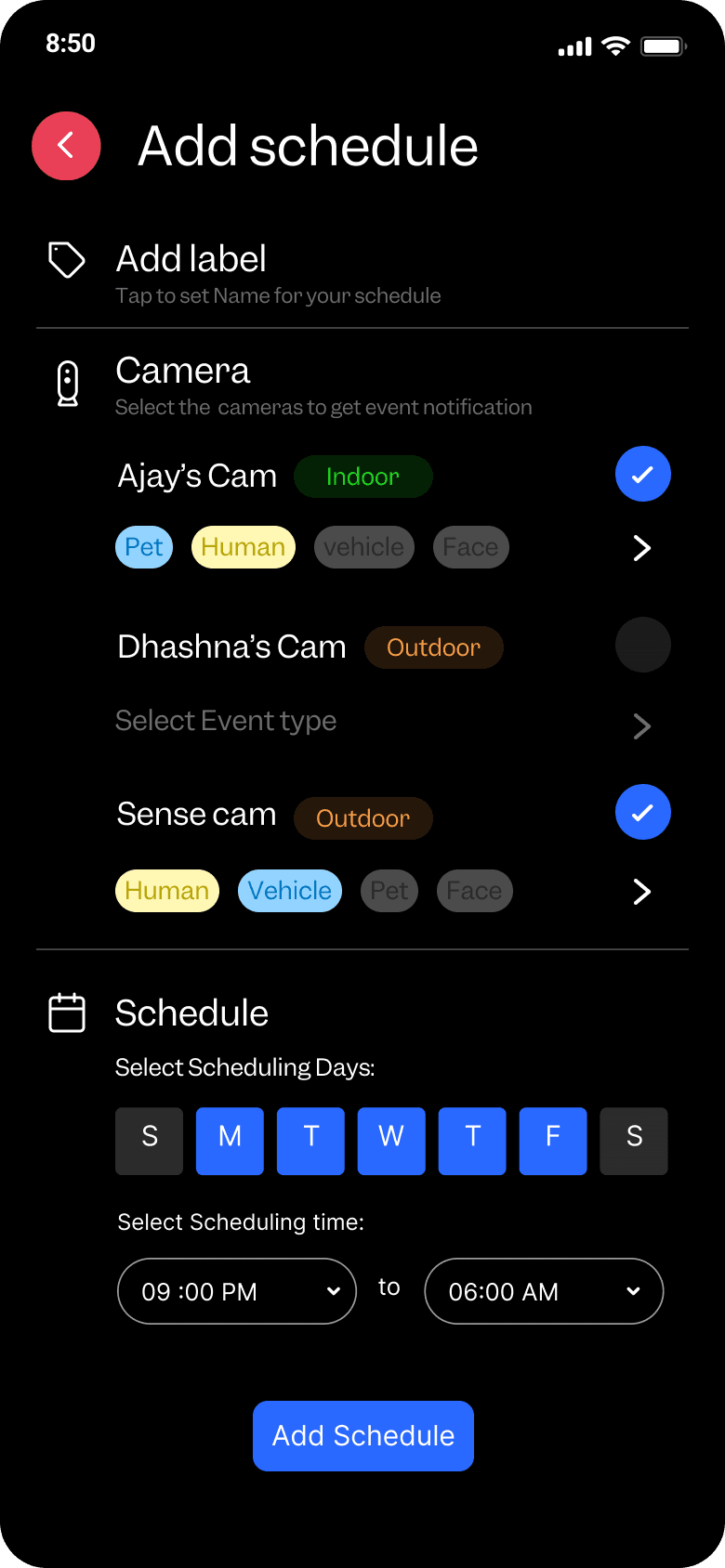
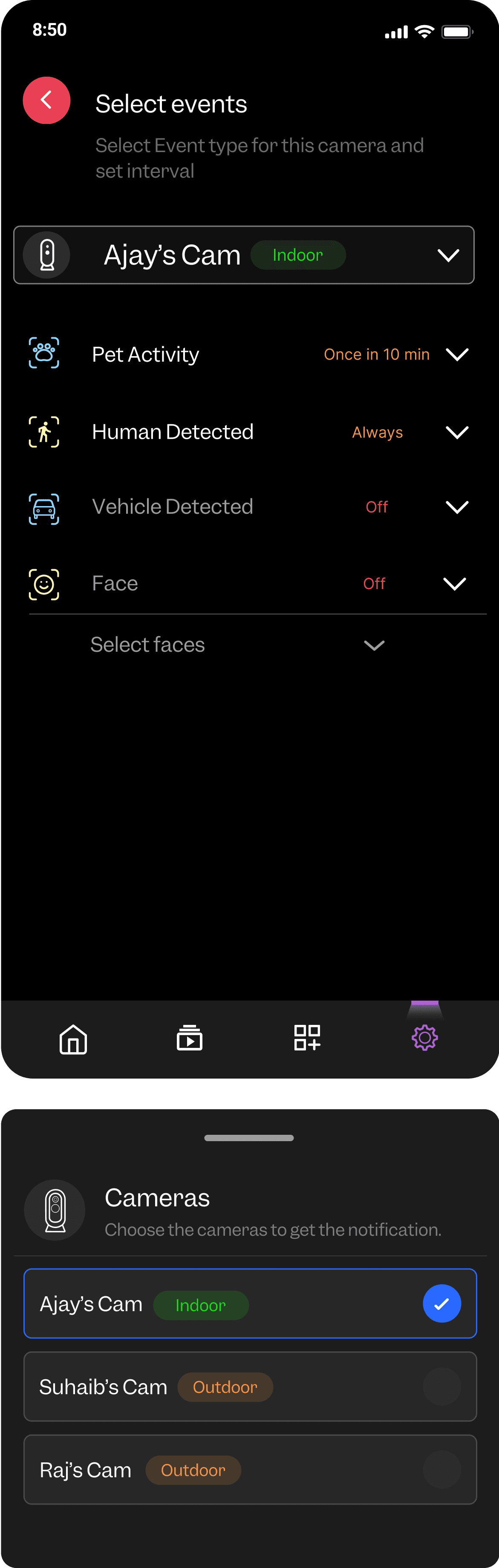
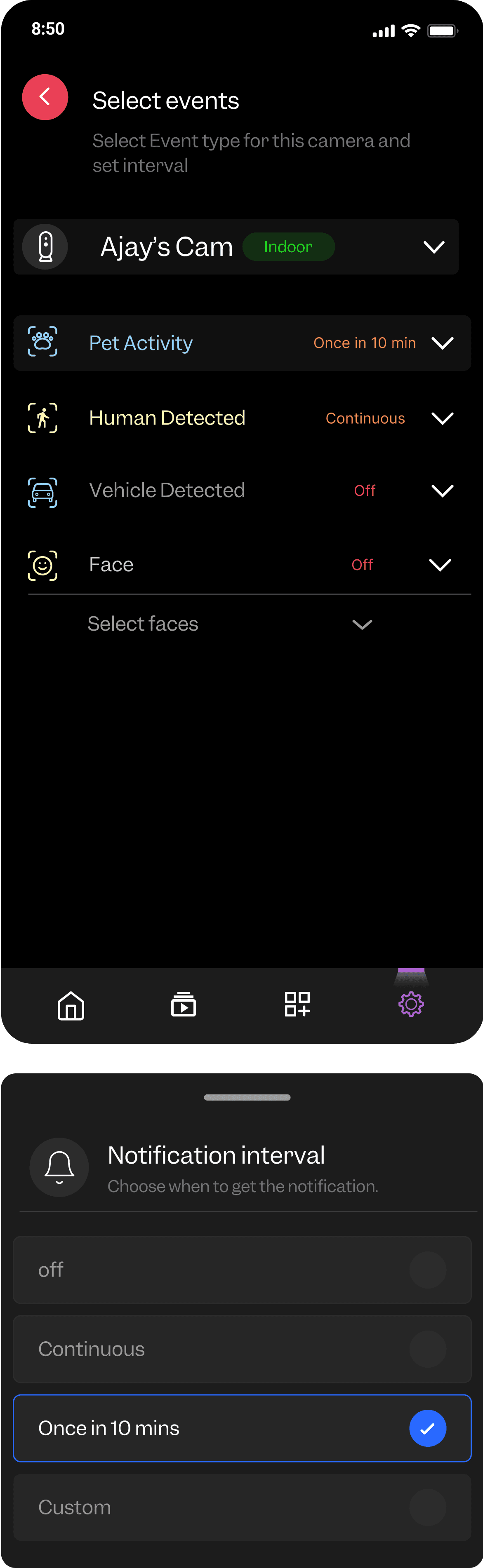
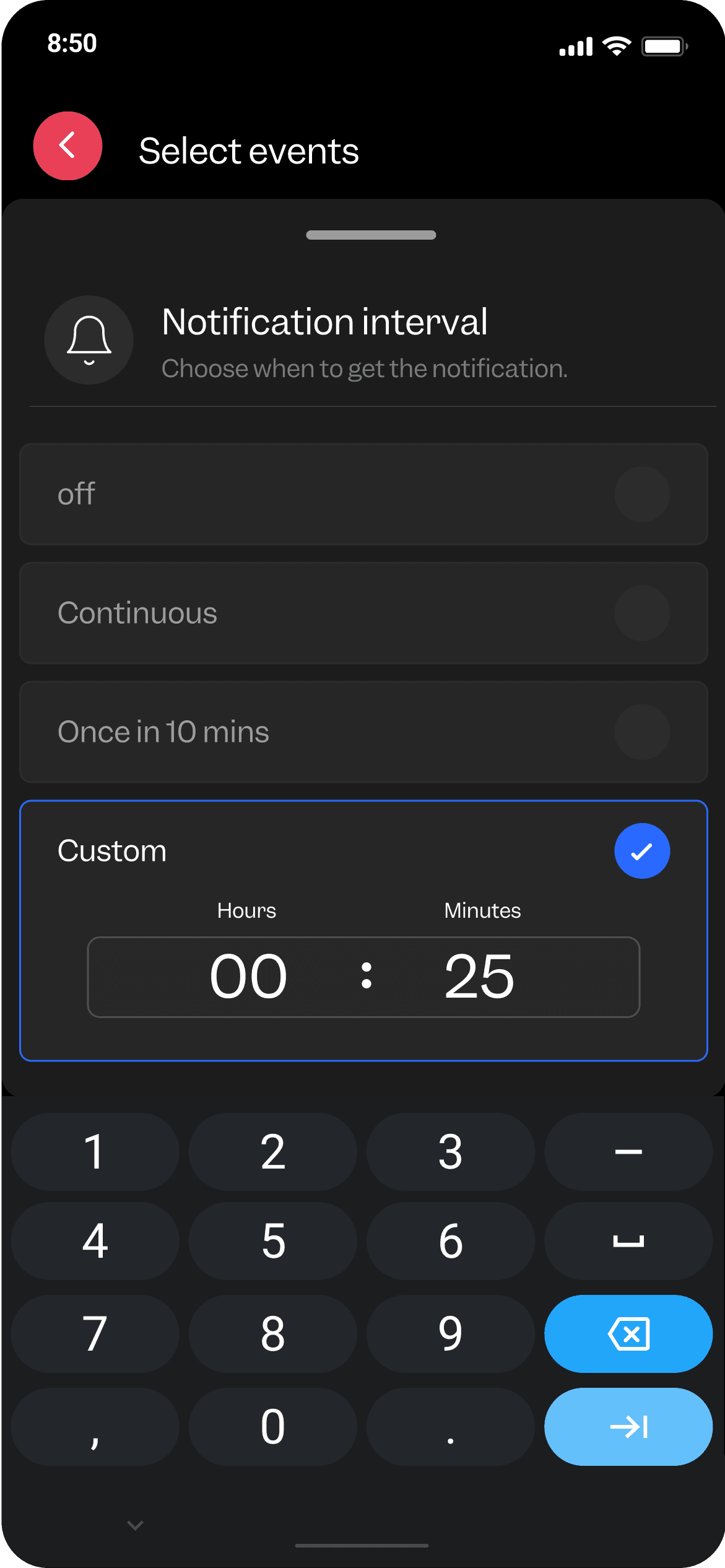
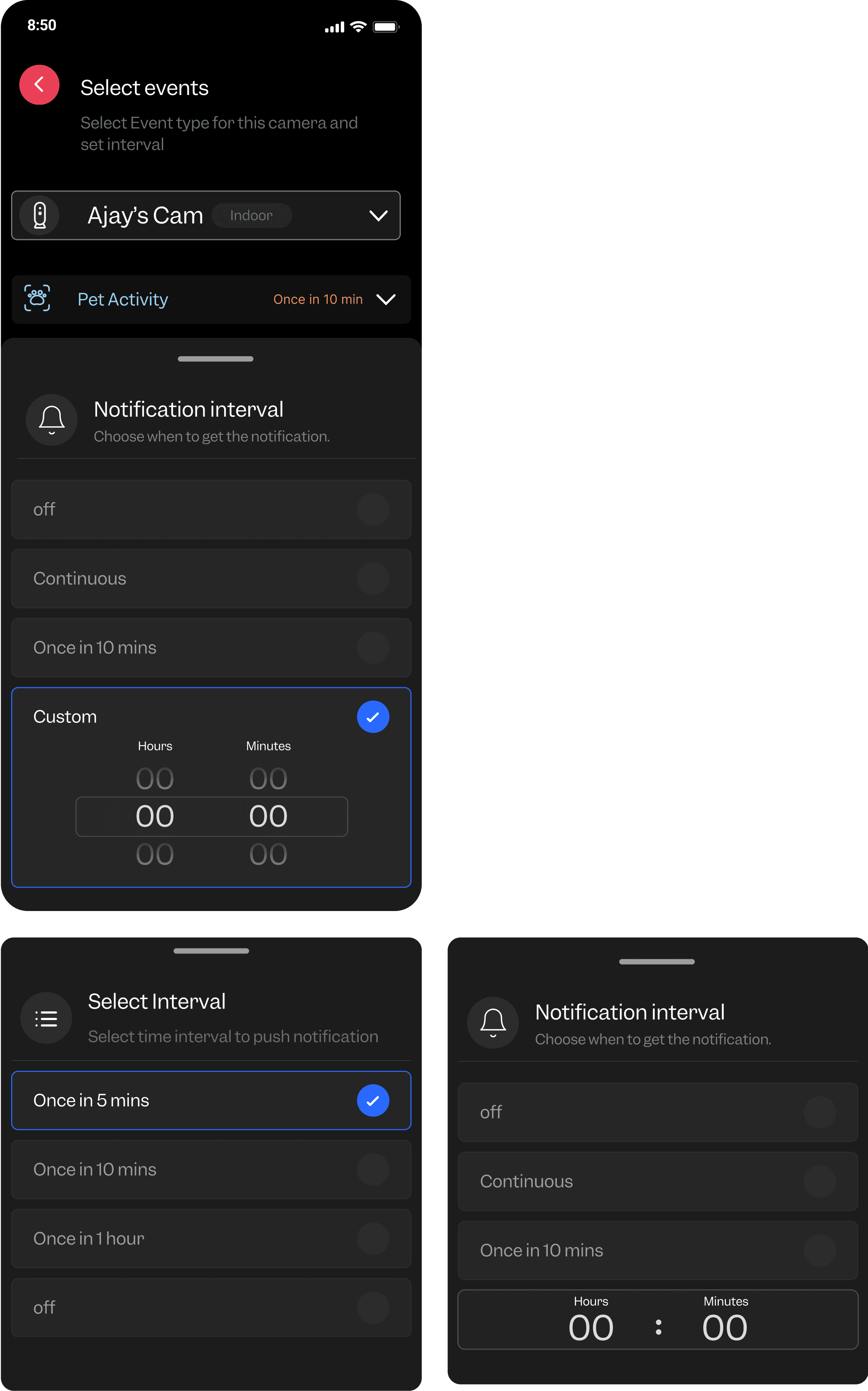
Designing a schedule-based notification feature that works by setting controls for cameras, triggers, and event types, with time-based requirements and sending notifications via push and WhatsApp.
Schedule ——-——> Camera —————> Triggers————->Intervals
Home management flow
Current Issues
Limited Home Management: The system restricts users to managing only one home or space.
Single User Management: Only one person can be registered to manage the home or space, limiting collaborative management.
Objectives:
Enable Multiple Homes: Allow users to manage and switch between multiple homes or spaces.
Support Multiple Users: Implement a system that supports multiple users with distinct roles and permissions for each home or space.
Enhance Collaborative Management: Facilitate efficient management and coordination among different users in the same home or across multiple homes.